Display login hint for duplicate identifiers
Login hints are enabled by default for newly created Ory Network Projects.
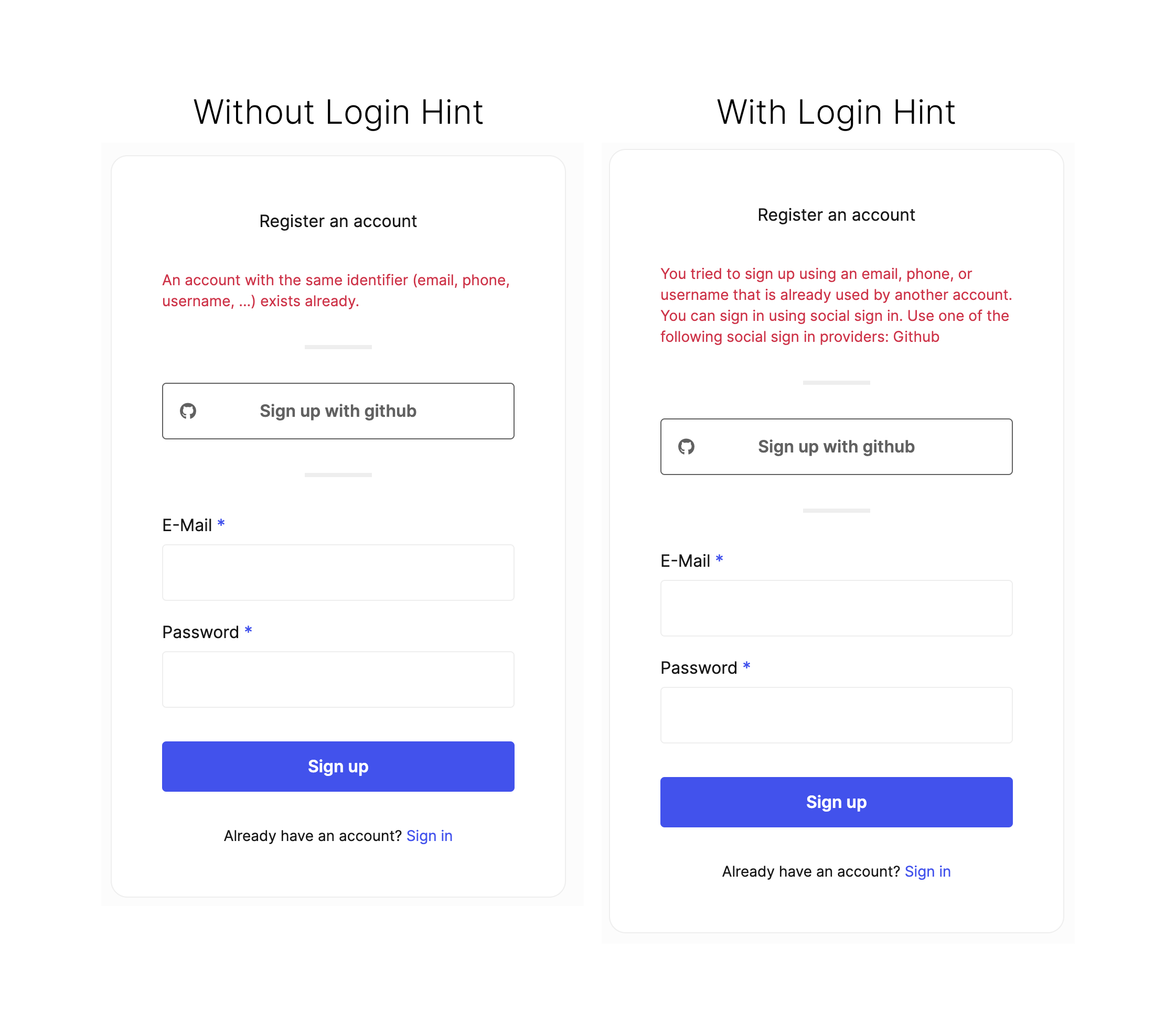
When users attempt to sign up with an identifier (username, email address etc.) which has previously been registered, they will be presented an error explaining that an identity is already created for that identifier.
If you have a number of different sign-in methods configured (say username and password plus one or more social sign-in providers), its common for users users to not remember with which provider they initially signed up. This can lead to errors when attempting to log in with the wrong method.
To address this, Ory Identities provides "login hints." Login hints provide a message what authentication method is available for the users identifier when they choose a method for which an identity already exists.
To enable login hints edit your Ory Identities configuration directly or use the following CLI command:
ory list workspaces # to get the workspace id
ory list projects --workspace <workspace-id> # to get the project id

ory patch project --project <project-id> --workspace <workspace-id> \
  --replace '/services/identity/config/selfservice/flows/registration/login_hints=true'
Locate the conflicting field
By default, the duplicate-identifier error (UI message 4000028) is reported in the flow-level ui.messages. Enable the
kratos.duplicate_identifier_field_error feature flag to attach it to the conflicting form field instead. This matters when the
identity schema defines more than one identifier, for example an email address and a phone number: when login hints are enabled
and the conflicting identifier resolves to a single submitted trait, the message appears in the messages of the matching
ui.nodes entry, such as the node named traits.phone, instead of the flow-level ui.messages.
Enable the flag in the Ory Console under Project settings → Advanced, or with the Ory CLI:
ory patch project --project <project-id> --workspace <workspace-id> \
  --replace '/services/identity/config/feature_flags/duplicate_identifier_field_error=true'
Custom user interfaces that only render the flow-level ui.messages will not show the error once the flag is enabled. Make sure
your interface renders node-level messages before turning it on.
If the conflict is on an OIDC subject, no trait matches, or multiple traits match, the error remains in the flow-level
ui.messages.
The message context also names the conflicting field so that custom user interfaces can attach the error to the correct input:
{
  "id": 4000028,
  "context": {
    "credential_identifier_hint": "+15551234567",
    "duplicate_identifier_field": "traits.phone"
  }
}
This behavior improves the sign-in experience for your users, but comes at the cost of exposing information about which sign-in mehods a particular account identifier has associated with it.
Disable this feature if account enumeration attacks are a risk factor in your threat model.