Ory Console Lite quickstart
In this quickstart, you add Ory Console Lite, a browser-based admin interface, to your existing Ory deployment. It takes about 5 minutes. You'll authenticate to the Ory Enterprise Docker registry, start the Console Lite container with your services' admin API URLs, and confirm on the Settings page that each service reports healthy.
Ory Console Lite has no authentication of its own. Anyone who can reach it has full administrative access to every identity, session, OAuth2 client, and permission in your deployment. Run it on a private network, behind a VPN, or behind an authenticating proxy — never expose it to the public internet. See Secure Ory Console Lite.
Prerequisites
Before you start, make sure you have:
- A valid Ory Enterprise License (Ory OEL).
- Access to the Ory Enterprise Docker registry, which you need to download Ory OEL Docker images.
- Docker, running. Check with
docker info. - The gcloud CLI used to authenticate to the Ory Enterprise Docker registry. Check
with
gcloud version. - The admin API URL of at least one of Ory Kratos Identities, Ory Hydra Authorization, or Ory Keto Permissions, resolvable from wherever you run the container. Ory Console Lite will not serve without at least one admin API URL set.
- Port
3000free on the host where you run the container, or another port to publish on.
Authenticate to the registry
Ory Console Lite is published to the Ory Enterprise Docker registry, which requires authorization. The steps below assume your
service account key is stored in keyfile.json.
gcloud auth activate-service-account --key-file=keyfile.json
gcloud auth configure-docker europe-docker.pkg.dev
Confirm that you can reach the image. A JSON manifest means the key works and the tag exists:
docker manifest inspect europe-docker.pkg.dev/ory-artifacts/ory-enterprise-console-lite/console-oel-lite:26.3.14
Start Ory Console Lite
Ory Console Lite is a single stateless container. It holds no configuration beyond the URLs of the services it manages, so starting it is one command. Replace the hostnames with your own admin APIs:
docker run -d --name ory-console-lite \
  --platform linux/amd64 \
  -p 127.0.0.1:3000:3000 \
  -e ORY_KRATOS_URL=http://kratos.internal:4434 \
  -e ORY_KRATOS_PUBLIC_URL=http://kratos.internal:4433 \
  -e ORY_HYDRA_URL=http://hydra.internal:4445 \
  -e ORY_KETO_READ_URL=http://keto.internal:4466 \
  -e ORY_KETO_WRITE_URL=http://keto.internal:4467 \
  -e CSRF_TOKEN_SECRET=replace-this-with-a-random-32-character-secret \
  europe-docker.pkg.dev/ory-artifacts/ory-enterprise-console-lite/console-oel-lite:26.3.14
The command binds Ory Console Lite to 127.0.0.1, which keeps it on the host you start it from. Before you run it anywhere else,
read Secure Ory Console Lite.
Set only the Ory services that you run. Not setting other services doesn't break anything — see Configure only the services you run.
To view Ory Console Lite, open http://localhost:3000 and it redirects to /projects/local/get-started.
Ory Console Lite is released for linux/amd64 only, so the platform flag is required on Apple Silicon and other ARM hosts.
Docker runs it under emulation, which makes the first page load noticeably slower.
Confirm Ory Console Lite reached your services
Open Settings. For every service that Ory Console Lite is configured for, the console displays its URL and health status. The Available features section shows all the enabled features and their health status.
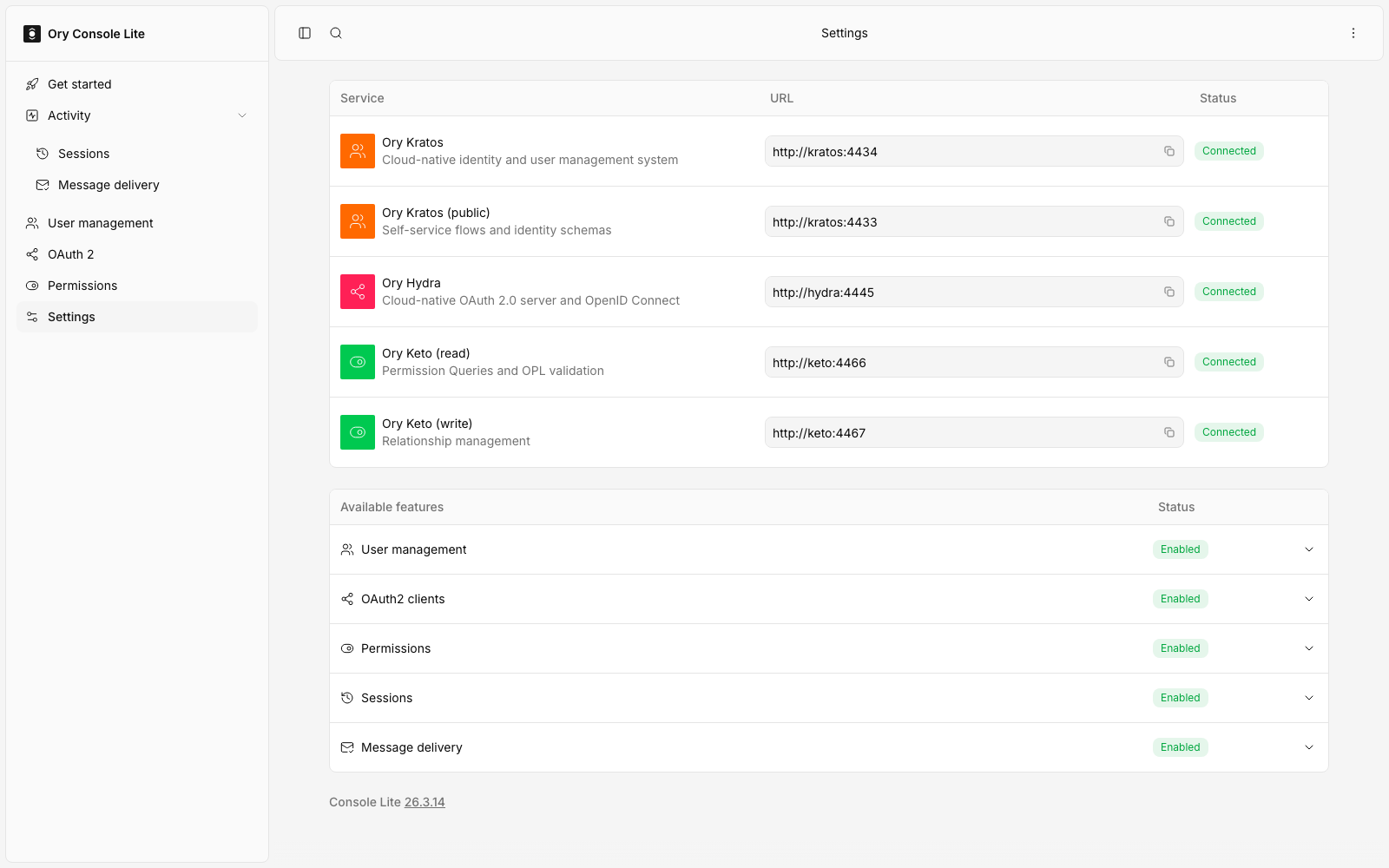
Each configured service should display Connected, and their features should display Enabled. A service that reads as
Unavailable is either down or configured with a URL that Ory Console Lite cannot resolve — remember that the console resolves
these URLs from inside its own container, so http://localhost:4434 points it at itself.
If a service or feature does not read as expected, see Troubleshooting.
The build tag at the bottom of the page searches the Ory changelog for the version you are running.
Removing Ory Console Lite
docker rm -f ory-console-lite
Ory Console Lite stores no data of its own, so removing the container leaves nothing behind. Everything it manages stays in Ory Kratos Identities, Ory Hydra Authorization, and Ory Keto Permissions.
Next steps
- Configure Ory Console Lite — every environment variable, and how to run it safely
- Security — secure Ory Console Lite
Ory offers support for self-hosted Ory software through the Ory Enterprise License (OEL). Read more about the OEL here.