In this guide, we will set up a hardened, fully functional authentication system
with Flutter Web using Ory Kratos, an
open-source identity and authentication service written in Golang.
It will take you about ~10 minutes to complete this guide. This guide is for you
if you are looking to:
- Use the Ory Kratos API.
- Create a custom user interface for the Ory Kratos Self Service Flows in
Flutter Web.
Follow the step-by-step guide to add authentication to your Flutter web
application and screens for:
- Login
- Registration
- Profile management
- Update password
- Recover password
- Verify account
You can find the source code for this guide on GitHub:
iglu-ory-kratos-example.
Run the example
To run the example, clone the
repository to your
computer.
git clone https://github.com/IGLU-Agency/iglu-ory-kratos-example.git
cd iglu-ory-kratos-example
Should you not have Ory Kratos installed, please follow these
instructions.
To test the features of this example run Kratos locally:
kratos serve --config ./test/kratos.yml --dev
Should you have problems running this command, you check the identity schema
path in the Ory Kratos configuration kratos.yml.
Now run the project on Chrome
and test how it works.
Flutter API Flows
First of all, we implement flows essential for Ory Kratos to work.
Flutter User Login API Flow
This code generates the SelfServiceLoginFlow, which will be used in the
Login screen:
Future<SelfServiceLoginFlow?> initHandlersLoginScreen(
BuildContext context,
) async {
final query = ModalRoute.of(context)?.settings.name?.getQueryParameters() ??
<String, String>{};
final flow = query['flow'];
const aal = '';
const refresh = '';
const returnTo = '';
final initFlowUrl = getUrlForFlow(
base: global.baseUrl,
flow: 'login',
query: {'aal': aal, 'refresh': refresh, 'return_to': returnTo},
);
if (!isQuerySet(flow)) {
open(
url: initFlowUrl,
name: '_self',
);
return null;
}
Flutter User Registration API Flow
This code generates the SelfServiceRegistrationFlow, which will be used in the
Registration screen:
Future<SelfServiceRegistrationFlow?> initHandlersRegistrationScreen(
BuildContext context,
) async {
final query = ModalRoute.of(context)?.settings.name?.getQueryParameters() ??
<String, String>{};
final flow = query['flow'];
const returnTo = '';
final initFlowUrl = getUrlForFlow(
base: global.baseUrl,
flow: 'registration',
query: {'return_to': returnTo},
);
if (!isQuerySet(flow)) {
open(
url: initFlowUrl,
name: '_self',
);
return null;
}
Flutter User Settings API Flow
This code generates the SelfServiceSettingsFlow, which will be used in the
Settings screen.
Future<SelfServiceSettingsFlow?> initHandlersSettingsScreen(
BuildContext context,
) async {
final query = ModalRoute.of(context)?.settings.name?.getQueryParameters() ??
<String, String>{};
final flow = query['flow'];
const returnTo = '';
final initFlowUrl = getUrlForFlow(
base: global.baseUrl,
flow: 'settings',
query: {'return_to': returnTo},
);
if (!isQuerySet(flow)) {
open(
url: initFlowUrl,
name: '_self',
);
return null;
}
Flutter Authentication Screens
Now let us take a look at the different screens you can find in lib/screens.
There isn't anything special happening there, but if you intend to change the
layout you can look here. For example like so:
Flutter Login Widget Example
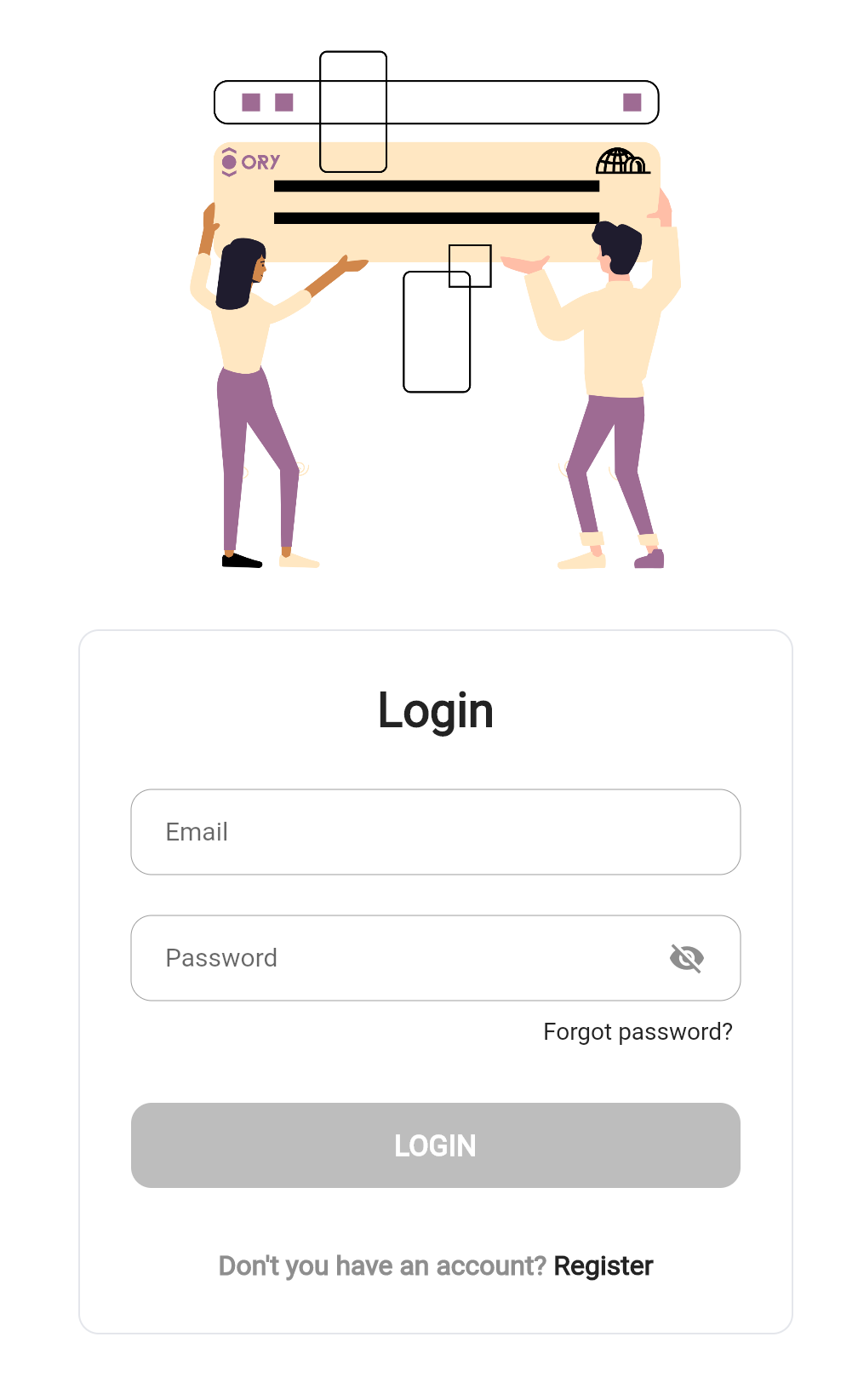
The User Login widget uses the dart native code and performs a User Login
API Flow.
Widget build(BuildContext context) {
return AbsorbPointer(
absorbing: isLoading,
child: Scaffold(
backgroundColor: Colors.white,
body: GestureDetector(
onTap: () => FocusScope.of(context).unfocus(),
child: Builder(
builder: (ctx) => Center(
child: Form(
key: _formKey,
child: SingleChildScrollView(
child: Align(
child: Container(
alignment: Alignment.center,
width: 500,
child: Column(
mainAxisAlignment: MainAxisAlignment.center,
children: <Widget>[
Padding(
padding: const EdgeInsets.symmetric(horizontal: 40),
child: Column(
crossAxisAlignment: CrossAxisAlignment.stretch,
children: <Widget>[
const SizedBox(height: 30),
SizedBox(
child: Image.asset(
'assets/images/ory+iglu_login.png',
),
),
const SizedBox(height: 30),
Container(
padding: const EdgeInsets.only(
top: 30,
bottom: 30,
left: 30,
right: 30,
),
decoration: BoxDecoration(
color: Colors.white,
border: Border.all(
color: const Color.fromRGBO(
228,
230,
235,
1,
),
),
borderRadius: BorderRadius.circular(12),
),
child: Column(
children: [
const Text(
'Login',
textAlign: TextAlign.center,
style: TextStyle(
fontWeight: FontWeight.w900,
color: textColor,
fontSize: 28,
),
),
const SizedBox(height: 30),
returnEmailTextFormField(),
const SizedBox(height: 24),
returnPasswordTextFormField(),
const SizedBox(height: 6),
returnForgotPasswordButton(),
const SizedBox(height: 30),
MElevatedButton(
title: 'LOGIN',
onPressed: isLoginButtonEnabled
? _signInAction
: null,
isLoading: isLoading,
),
const SizedBox(height: 36),
returnRegisterBorderButton(),
],
),
),
SizedBox(
height: 130 +
MediaQuery.of(context).viewPadding.bottom,
),
],
),
),
],
),
),
),
),
),
),
),
),
),
);
}
Flutter Registration Widget Example
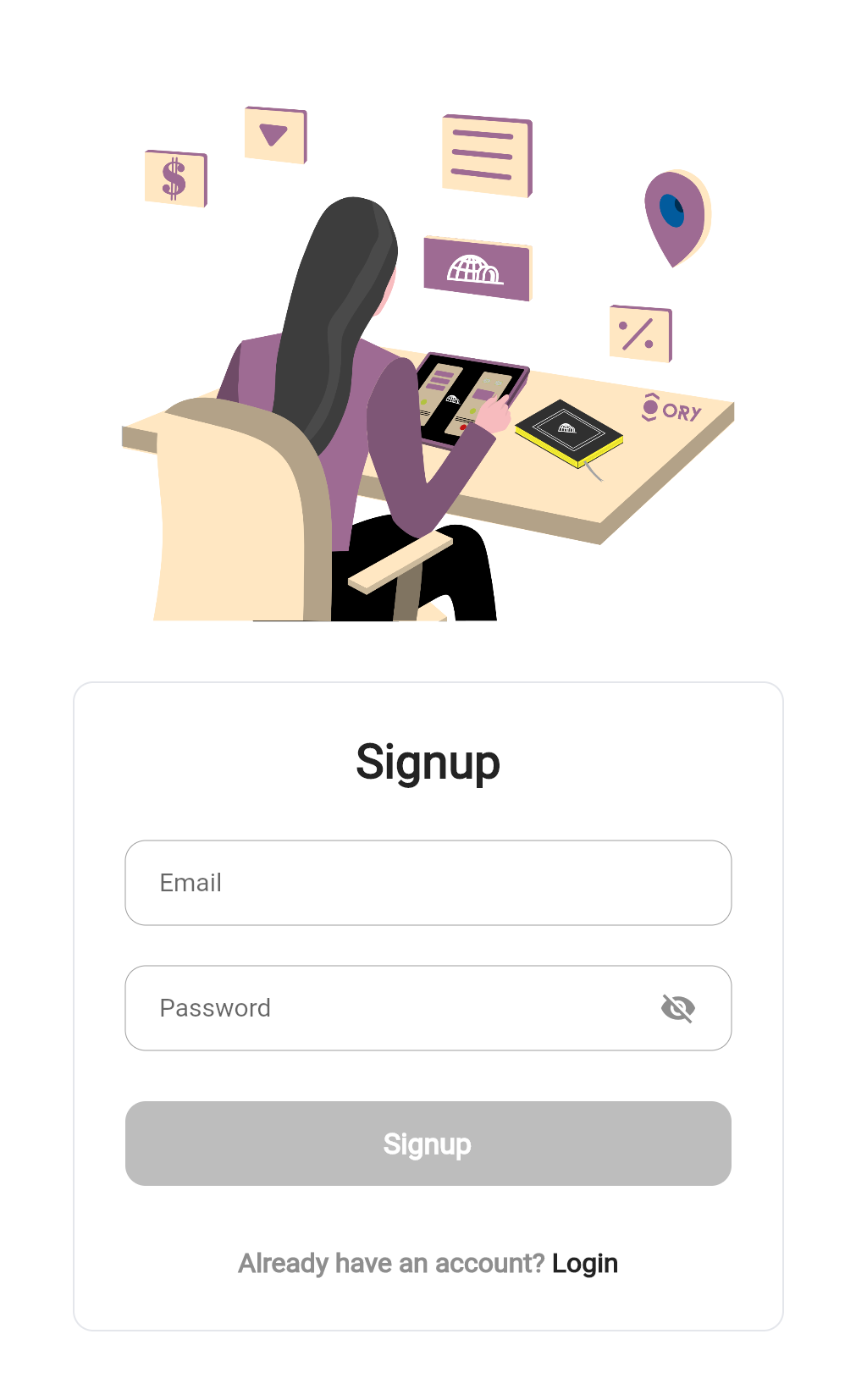
The User Registration widget uses the dart native code and performs a
User Registration API Flow.
Widget build(BuildContext context) {
return AbsorbPointer(
absorbing: isLoading,
child: Scaffold(
backgroundColor: Colors.white,
body: GestureDetector(
onTap: () => FocusScope.of(context).unfocus(),
child: Center(
child: Builder(
builder: (ctx) => Form(
key: _formKey,
child: SingleChildScrollView(
child: Align(
child: Container(
alignment: Alignment.center,
width: 500,
child: Column(
mainAxisAlignment: MainAxisAlignment.center,
children: <Widget>[
Padding(
padding: const EdgeInsets.symmetric(horizontal: 40),
child: Column(
crossAxisAlignment: CrossAxisAlignment.stretch,
children: <Widget>[
const SizedBox(height: 30),
SizedBox(
child: Image.asset(
'assets/images/ory+iglu_registration.png',
),
),
const SizedBox(height: 30),
Container(
padding: const EdgeInsets.only(
top: 30,
bottom: 30,
left: 30,
right: 30,
),
decoration: BoxDecoration(
color: Colors.white,
border: Border.all(
color: const Color.fromRGBO(
228,
230,
235,
1,
),
),
borderRadius: BorderRadius.circular(12),
),
child: Column(
children: [
const Text(
'Signup',
textAlign: TextAlign.center,
style: TextStyle(
fontWeight: FontWeight.w900,
color: textColor,
fontSize: 28,
),
),
const SizedBox(height: 30),
returnEmailTextFormField(),
const SizedBox(height: 24),
returnPasswordTextFormField(),
const SizedBox(height: 30),
MElevatedButton(
title: 'Signup',
onPressed: isSignupButtonEnabled
? _signupAction
: null,
isLoading: isLoading,
),
const SizedBox(height: 36),
returnRegisterBorderButton(),
],
),
),
SizedBox(
height: 130 +
MediaQuery.of(context).viewPadding.bottom,
),
],
),
),
],
),
),
),
),
),
),
),
),
),
);
}
Flutter Navigation User Settings Widget Example
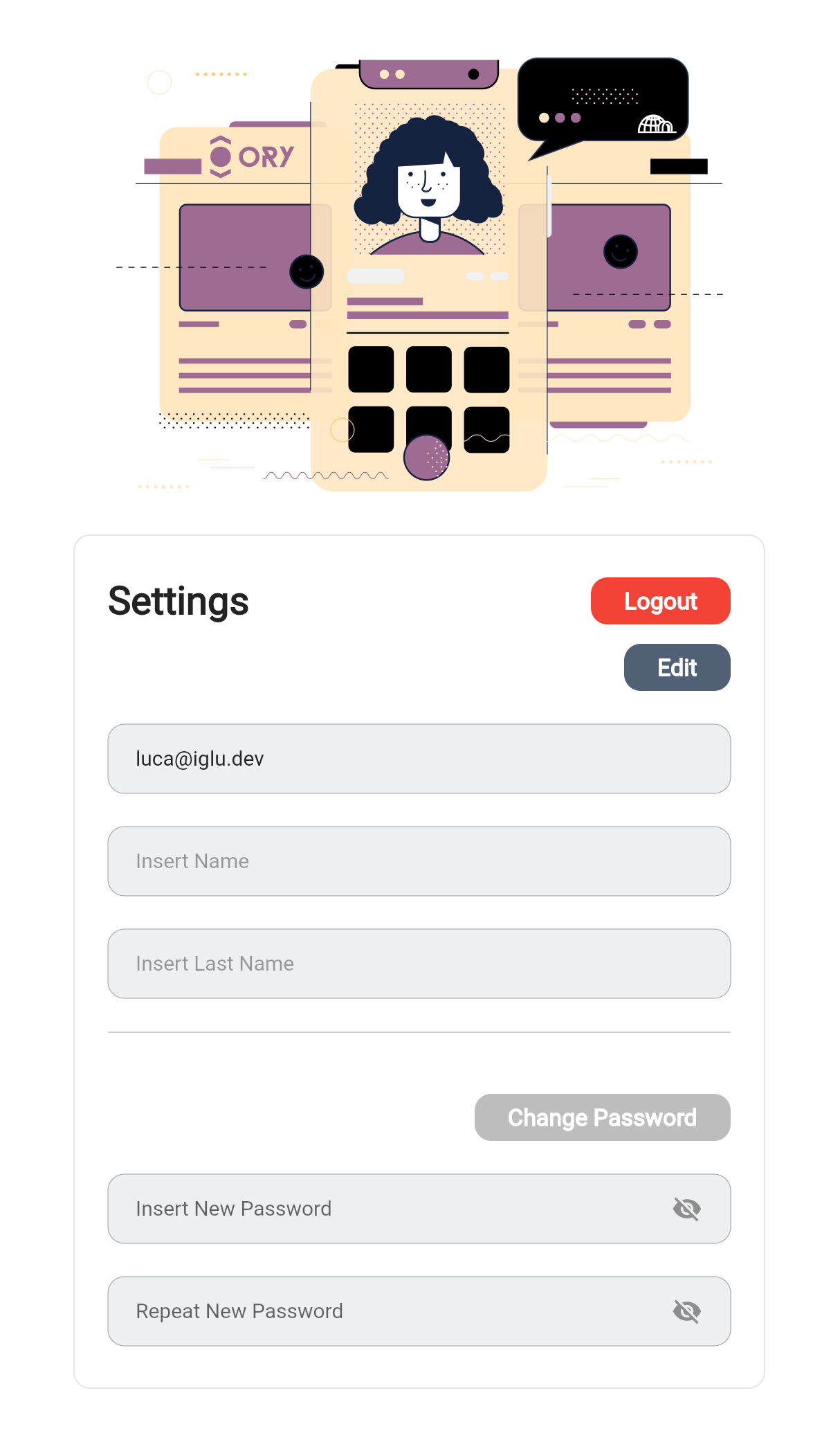
The User Settings widget performs a User Settings API Flow, receives the
users authentication session and displays all relevant information, and also
gives users the ability to change the password and to change their profile
traits.
Widget build(BuildContext context) {
return AbsorbPointer(
absorbing: isLoading,
child: Scaffold(
backgroundColor: Colors.white,
body: GestureDetector(
onTap: () => FocusScope.of(context).unfocus(),
child: Center(
child: Builder(
builder: (ctx) => Form(
key: _formKey,
child: Builder(
builder: (context) {
return SingleChildScrollView(
child: Column(
children: [
Container(
constraints: const BoxConstraints(maxWidth: 500),
child: Image.asset(
'assets/images/ory+iglu_profile.png',
),
),
_returnProfileValuesSection(),
],
),
);
},
),
),
),
),
),
),
);
}
Widget _returnProfileValuesSection() {
final scrollableContent = Align(
child: Container(
width: 500,
decoration: BoxDecoration(
color: Colors.white,
border: Border.all(color: const Color.fromRGBO(228, 230, 235, 1)),
borderRadius: BorderRadius.circular(12),
),
margin: const EdgeInsets.only(bottom: 150),
padding: const EdgeInsets.only(left: 24, right: 24),
child: Scrollbar(
controller: scrollController,
child: ListView(
shrinkWrap: true,
controller: scrollController,
padding: EdgeInsets.only(
top: 30,
bottom: 30 + MediaQuery.of(context).viewPadding.bottom,
),
children: <Widget>[
Row(
mainAxisAlignment: MainAxisAlignment.spaceBetween,
children: [
const Text(
'Settings',
textAlign: TextAlign.start,
style: TextStyle(
fontWeight: FontWeight.w900,
color: textColor,
fontSize: 28,
),
),
MElevatedButton(
title: 'Logout',
backgroundColor: Colors.red,
backgroundColorState: MaterialStateProperty.all(Colors.red),
onPressed: () async {
await global.handlers.logoutHandler();
},
padding: const EdgeInsets.only(left: 24, right: 24),
height: 34,
),
],
),
const SizedBox(height: 14),
Row(
mainAxisAlignment: MainAxisAlignment.end,
children: [
MElevatedButton(
title: isEditMode ? 'Save' : 'Edit',
onPressed: () {
if (isEditMode) {
_saveProfileAction();
} else {
setState(() => isEditMode = !isEditMode);
}
},
padding: const EdgeInsets.only(left: 24, right: 24),
height: 34,
isLoading: isLoading,
),
],
),
const SizedBox(height: 24),
MTextField(
controller: _emailController,
hint: 'Inserisci Email',
check: isEmailValid || _firstNameController.text.isEmpty,
isEnabled: false,
onChanged: (val) {
setState(() {
isEmailValid = val.isEmpty || val.isEmail;
});
},
suffixIcon: const SizedBox.shrink(),
),
const SizedBox(height: 24),
MTextField(
controller: _firstNameController,
check: (isNameValid && _firstNameController.text.isNotEmpty) ||
_firstNameController.text.isEmpty,
onChanged: (val) {
setState(() {
isNameValid = val.isEmpty || val.length >= 2;
});
},
isEnabled: isEditMode,
hint: 'Insert Name',
suffixIcon: isEditMode
? const Icon(
Icons.edit_rounded,
size: 20,
color: textColor,
)
: const SizedBox.shrink(),
),
const SizedBox(height: 24),
MTextField(
controller: _lastNameController,
check: (isNameValid && _lastNameController.text.isNotEmpty) ||
_lastNameController.text.isEmpty,
onChanged: (val) {
setState(() {
isLastNameValid = val.isEmpty || val.length >= 2;
});
},
isEnabled: isEditMode,
hint: 'Insert Last Name',
suffixIcon: isEditMode
? const Icon(
Icons.edit_rounded,
size: 20,
color: textColor,
)
: const SizedBox.shrink(),
),
const SizedBox(height: 24),
const Divider(
height: 1,
color: Colors.grey,
),
const SizedBox(height: 44),
Row(
mainAxisAlignment: MainAxisAlignment.end,
children: [
MElevatedButton(
title: 'Change Password',
onPressed: canSavePassword() ? _passwordChange : null,
padding: const EdgeInsets.only(left: 24, right: 24),
height: 34,
isLoading: isLoadingPassword,
),
],
),
const SizedBox(height: 24),
MTextField(
controller: _passwordController,
obscureText: !isPasswordVisible,
check: _passwordController.text.isEmpty ||
(isPasswordValid &&
(_passwordController.text ==
_repeatPasswordController.text ||
_repeatPasswordController.text.isEmpty)),
onChanged: (val) {
setState(() {
isPasswordValid = val.isEmpty || val.length >= 8;
});
},
suffixIcon: GestureDetector(
onTap: () {
setState(() {
isPasswordVisible = !isPasswordVisible;
});
},
child: Icon(
isPasswordVisible ? Icons.visibility : Icons.visibility_off,
size: 22,
color: textSecondaryColor,
),
),
hint: 'Insert New Password',
),
const SizedBox(height: 24),
MTextField(
controller: _repeatPasswordController,
check: _repeatPasswordController.text.isEmpty ||
(isRepeatPasswordValid &&
(_repeatPasswordController.text ==
_passwordController.text ||
_passwordController.text.isEmpty)),
obscureText: !isPasswordVisible,
onChanged: (val) {
setState(() {
isRepeatPasswordValid = val.isEmpty || val.length >= 8;
});
},
hint: 'Repeat New Password',
suffixIcon: GestureDetector(
onTap: () {
setState(() {
isPasswordVisible = !isPasswordVisible;
});
},
child: Icon(
isPasswordVisible ? Icons.visibility : Icons.visibility_off,
size: 22,
color: textSecondaryColor,
),
),
),
],
),
),
),
);
return scrollableContent;
Adding Authentication to a Flutter Web App From Scratch
With this example, you have a starter project to add user authentication out of
the box with Ory Kratos in Flutter.
Real Production-Ready App with Flutter Web
If you are interested in seeing an actual project based on this, we invite you
to look at our unique solution that offers Ory
Kratos based on this example.
Conclusion
We have now implemented Ory Kratos Authentication with Login, Registration,
Profile Management in Flutter Web!
Thanks for taking the time to follow this guide and hopefully, it helps you build
secure web apps more smoothly. The IGLU Ory Kratos example is open source and available
on github, please consider
starring the repository.
If you want to skip set up and managing Kubernetes, Docker and others, check out
Ory Network for the fastest way to run
Ory services.