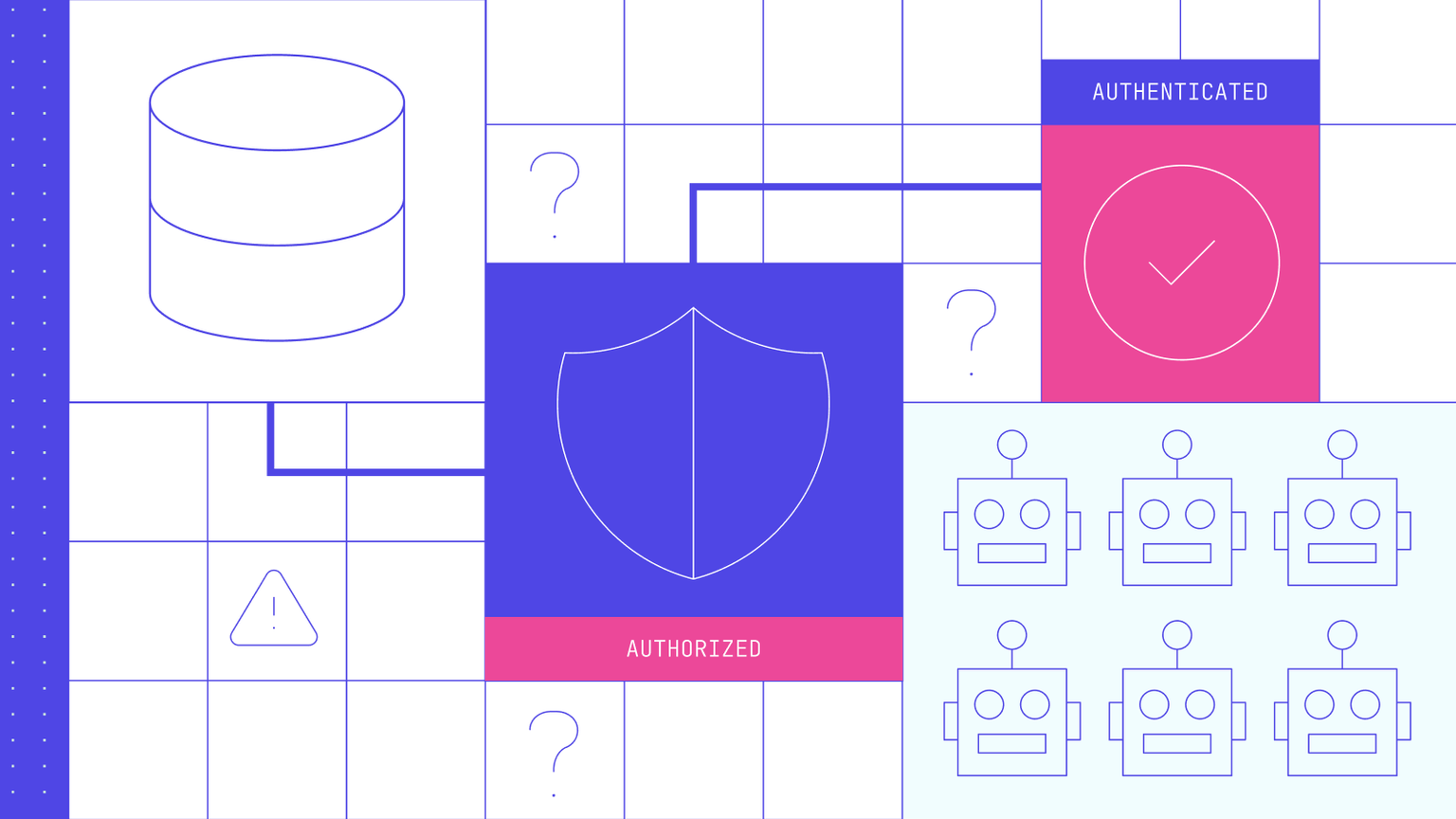
This comprehensive guide walks you through integrating Ory Hydra with the Model Context Protocol (MCP) to create secure, standardized AI agent interactions.
Why choose open source for AI security? Unlike proprietary solutions that lock you into vendor ecosystems, Ory Hydra gives you complete control, transparency, and the freedom to customize your security infrastructure exactly as needed. You can inspect every line of code, contribute improvements, and deploy anywhere without licensing restrictions. And, for teams requiring enterprise-grade support or innovative features, commercial options extend the open source foundation.
By the end of this tutorial, you'll have a fully functional local environment where AI agents can securely authenticate and access your services through battle-tested, community-driven protocols.
What you'll build
- A local Ory Hydra OAuth 2.1 server running in Docker
- An MCP server that uses Ory Hydra for authentication
- A complete understanding of how OAuth 2.1 secures AI agent interactions
- Hands-on experience with the MCP Inspector for testing
Understanding the foundation
What is OAuth 2.1?
OAuth 2.1 is the latest iteration of the OAuth authorization framework, designed to grant limited access to user accounts on HTTP services. Think of it as a secure way to allow applications to access resources on behalf of users without sharing passwords.
For example, when you use "Sign in with Google" on a website, that's OAuth in action. The website (client) requests access to your Google account (resource server) through Google's authorization server, and you grant specific permissions without sharing your Google password.
What is the Model Context Protocol (MCP)?
MCP is an emerging standard that defines how AI agents and Large Language Models (LLMs) can securely interact with external services and data sources. It's essentially a protocol that allows AI agents to call your APIs and services in a standardized way.
The security challenge with MCP implementations is that without proper authentication, AI agents could potentially access sensitive data or perform unauthorized operations. This is why OAuth 2.1 integration is essential.
Why Ory Hydra?
Ory Hydra is the leading open-source OAuth 2.1 and OpenID Connect solution, offering enterprise-grade security without the enterprise price tag or vendor lock-in. Here's why developers and organizations worldwide choose Ory Hydra:
Open source advantages:
- Complete transparency: Every line of code is open for inspection on GitHub
- Community-driven development: Backed by thousands of contributors and users
- No vendor lock-in: Deploy anywhere, modify anything, own your infrastructure
- Apache 2.0 license: Use freely in commercial applications
- Active ecosystem: Extensive documentation, tutorials, and community support
Production ready features:
- Handles millions of requests daily in production environments
- OAuth 2.1 and OpenID Connect certified compliance
- Cloud-native architecture designed for Kubernetes and containers
- Zero external dependencies - single binary deployment
- Horizontal scaling without complex coordination requirements
Developer-friendly approach:
- Modular design that integrates with any identity system
- Comprehensive APIs for every OAuth and OpenID Connect flow
- Extensive configuration options without code changes
- Docker-first approach for easy development and deployment
Unlike closed-source alternatives that can cost thousands per month and limit your architectural choices, Ory Hydra gives you enterprise-grade OAuth capabilities that you can run anywhere, modify as needed, and scale infinitely - all while building on a foundation trusted by some of the world's largest technology companies such as OpenAI.
Prerequisites
Before starting, ensure you have:
- Docker and Docker Compose installed
- Node.js (version 16 or higher)
- Basic familiarity with REST APIs and OAuth concepts
- Git for cloning repositories
Part 1: Setting up Ory Hydra locally
The advantages of self-hosted OAuth
One of Ory Hydra's greatest strengths is that you can run a production-grade OAuth server entirely under your control. No monthly fees, no request limits, no data leaving your infrastructure.
Let's get your own OAuth 2.1 server running in minutes!
Step 1.1: Clone the official Ory Hydra repository
git clone https://github.com/ory/hydra.git
cd hydra
Step 1.2: Check port availability
The quickstart uses ports 4444 (public API) and 4445 (admin API). Let's ensure they're available:
netstat -tuln | grep -E ':444[45]'
netstat -an | findstr /r "4444 4445"
If any ports are in use, you'll need to stop the conflicting services first.
Step 1.3: Modify Hydra configuration to use dynamic client registration
From the hydra project directory, navigate to the contrib/quickstart/5-min directory and modify the hydra.yml with the dynamic_client_registration key as seen below:
serve:
cookies:
same_site_mode: Lax
admin:
cors:
enabled: true
allowed_origins:
- "*"
allowed_methods:
- POST
- GET
- PUT
- PATCH
- DELETE
- CONNECT
- HEAD
- OPTIONS
- TRACE
allowed_headers:
- Authorization
- Accept
- Content-Type
- Content-Length
- Accept-Language
- Content-Language
exposed_headers:
- Content-Type
- Cache-Control
- Expires
- Last-Modified
- Pragma
- Content-Length
- Content-Language
public:
cors:
enabled: true
allowed_origins:
- "*"
allowed_methods:
- POST
- GET
- PUT
- PATCH
- DELETE
- CONNECT
- HEAD
- OPTIONS
- TRACE
allowed_headers:
- Authorization
- Accept
- Content-Type
- Content-Length
- Accept-Language
- Content-Language
exposed_headers:
- Content-Type
- Cache-Control
- Expires
- Last-Modified
- Pragma
- Content-Length
- Content-Language
urls:
self:
issuer: http:
consent: http:
login: http:
logout: http:
device:
verification: http:
success: http:
secrets:
system:
- youReallyNeedToChangeThis
webfinger:
oidc_discovery:
client_registration_url: http:
oidc:
subject_identifiers:
supported_types:
- pairwise
- public
pairwise:
salt: youReallyNeedToChangeThis
dynamic_client_registration:
enabled: true
Step 1.4: Launch Ory Hydra with SQL Lite
You can run the entire stack using the same Docker configurations that power production deployments. Choose the database configuration that matches your needs:
# SQLite (simplest for development with local changes)
docker compose -f quickstart.yml up
# For production-like setup with PostgreSQL
docker compose -f quickstart.yml \
-f quickstart-postgres.yml \
up
# For development with the current commit (if you want to build from source)
docker compose -f quickstart.yml \
-f quickstart-postgres.yml \
up
Alternative database options:
docker compose -f quickstart.yml \
-f quickstart-mysql.yml \
up
docker compose -f quickstart.yml \
-f quickstart-cockroach.yml \
up
You should see output similar to:
Starting hydra_postgresd_1
Starting hydra_hydra_1
[...]
Step 1.5: Verify Your Installation
Let's confirm everything is working by creating an OAuth 2.0 client and testing the basic flows. You have full access to the CLI tools and can inspect every step:
Check that all services are running:
docker compose -f quickstart.yml ps
Create an OAuth 2.0 client for testing:
  hydra create client \
  --endpoint http://127.0.0.1:4445/ \
  --format json \
  --grant-type client_credentials)

# Parse the JSON response to get credentials
client_id=$(echo $client | jq -r '.client_id')
client_secret=$(echo $client | jq -r '.client_secret')

echo "Client ID: $client_id"
echo "Client Secret: $client_secret"
Test the OAuth 2.0 Client Credentials flow:
  hydra perform client-credentials \
  --endpoint http://127.0.0.1:4444/ \
  --client-id "$client_id" \
  --client-secret "$client_secret"
You should see output similar to:
ACCESS TOKEN ory_at_ZDTkKci59rH_8KlZlRjIek0812n9oPsvJX_nTdptGt0.bbpFutv5CsfjHzs8QrsnmPZ-0VxgwPvg9jgw1DQaYNg
REFRESH TOKEN <empty>
ID TOKEN <empty>
EXPIRY 2022-06-27 11:50:28.244046504 +0000 UTC m=+3599.059213960
If you've gotten this far, your OAuth 2.1 server is now running and ready to secure AI agents. The endpoints you'll use are:
- Public API:
http://127.0.0.1:4444 (for token requests)
- Admin API:
http://127.0.0.1:4445 (for client management)
Part 2: Building the MCP Server with Ory Hydra integration
Step 2.1: Create a new TypeScript MCP Project
Instead of cloning repositories, we'll create a fresh TypeScript project using open-source MCP libraries. This gives you a complete understanding of every component and dependency.
Create a new project directory:
mkdir mcp-hydra-example
cd mcp-hydra-example
Initialize a new Node.js project:
npm init -y
Install the required dependencies:
npm install @modelcontextprotocol/sdk
npm install @ory/mcp-oauth-provider
npm install typescript @types/node ts-node express @types/express zod dotenv
npm install --save-dev nodemon
Step 2.2: Set up TypeScript configuration
Create a tsconfig.json file:
{
  "compilerOptions": {
    "target": "ES2020",
    "module": "commonjs",
    "lib": ["ES2020"],
    "outDir": "./dist",
    "rootDir": "./src",
    "strict": true,
    "esModuleInterop": true,
    "skipLibCheck": true,
    "forceConsistentCasingInFileNames": true,
    "resolveJsonModule": true,
    "moduleResolution": "node"
  },
  "include": ["src/**/*"],
  "exclude": ["node_modules", "dist"]
}
Update your package.json scripts:
{
  "scripts": {
    "build": "tsc",
    "start": "node dist/server.js",
    "dev": "nodemon --exec ts-node src/server.ts",
    "test": "echo \"Error: no test specified\" && exit 1"
  }
}
Step 2.3: Configure environment variables
Create a .env file in your project root. Here we're using Ory Hydra API endpoints:
MCP_BASE_URL=http://localhost:4000
SERVICE_DOCUMENTATION_URL=http://localhost:3000/docs
PORT=4000
Step 2.4: Create the MCP Server
Create the src directory and the main server file:
mkdir src
Create src/server.ts with the complete MCP server implementation:
import { requireBearerAuth } from '@modelcontextprotocol/sdk/server/auth/middleware/bearerAuth.js';
import { mcpAuthRouter } from '@modelcontextprotocol/sdk/server/auth/router.js';
import { StreamableHTTPServerTransport } from '@modelcontextprotocol/sdk/server/streamableHttp.js';
import { SSEServerTransport } from '@modelcontextprotocol/sdk/server/sse.js';
import { config } from 'dotenv';
import express, { type Request, type Response } from 'express';
import { McpServer } from '@modelcontextprotocol/sdk/server/mcp.js';
import { z } from 'zod';
import { BaseOryOptions, OryProvider } from '@ory/mcp-oauth-provider';
config();
const oryHydraAdminUrl = process.env.ORY_HYDRA_ADMIN_URL;
const oryHydraPublicUrl = process.env.ORY_HYDRA_PUBLIC_URL;
if (!oryHydraAdminUrl || !oryHydraPublicUrl) {
throw new Error('ORY_HYDRA_ADMIN_URL and ORY_HYDRA_PUBLIC_URL must be set');
}
const mcpBaseUrl = process.env.MCP_BASE_URL;
if (!mcpBaseUrl) {
throw new Error('MCP_BASE_URL must be set');
}
const serviceDocumentationUrl = process.env.SERVICE_DOCUMENTATION_URL;
if (!serviceDocumentationUrl) {
throw new Error('SERVICE_DOCUMENTATION_URL must be set');
}
const getServer = () => {
const server = new McpServer(
{
name: 'ory-mpc-example',
version: '1.0.0',
description: 'This is an example MPC server that uses Ory for authentication.',
},
{ capabilities: { logging: {} } }
);
server.tool(
'helloWorld',
'simply return a string called Hello World <name> where parameter is the name of who to say hello world to',
{
name: z.string(),
},
async ({ name }) => {
return {
content: [
{
type: 'text',
text: `Hello World ${name}`,
},
],
}
}
);
return server;
};
const transports: Record<string, StreamableHTTPServerTransport | SSEServerTransport> = {};
const app = express();
app.use(express.json());
const baseOryOptions: BaseOryOptions = {
endpoints: {
authorizationUrl: `${oryHydraPublicUrl}/oauth2/auth`,
tokenUrl: `${oryHydraPublicUrl}/oauth2/token`,
revocationUrl: `${oryHydraPublicUrl}/oauth2/revoke`,
registrationUrl: `${oryHydraPublicUrl}/oauth2/register`,
},
providerType: 'hydra',
hydraAdminUrl: oryHydraAdminUrl,
};
const proxyProvider = new OryProvider({
...baseOryOptions,
});
app.use(
mcpAuthRouter({
provider: proxyProvider,
issuerUrl: new URL(oryHydraPublicUrl),
baseUrl: new URL(mcpBaseUrl),
serviceDocumentationUrl: new URL(serviceDocumentationUrl),
})
);
const bearerAuthMiddleware = requireBearerAuth({
verifier: proxyProvider,
requiredScopes: ["openid", "offline", "offline_access"],
});
app.post('/mcp', bearerAuthMiddleware, async (req: Request, res: Response) => {
const server = getServer();
try {
const transport: StreamableHTTPServerTransport = new StreamableHTTPServerTransport({
sessionIdGenerator: undefined,
});
await server.connect(transport);
await transport.handleRequest(req, res, req.body);
res.on('close', () => {
console.log('Request closed');
transport.close();
server.close();
});
} catch (error) {
console.error('Error handling MCP request:', error);
if (!res.headersSent) {
res.status(500).json({
jsonrpc: '2.0',
error: {
code: -32603,
message: 'Internal server error',
},
id: null,
});
}
}
});
app.get('/mcp', bearerAuthMiddleware, async (req: Request, res: Response) => {
console.log('Received GET MCP request');
res.writeHead(405).end(
JSON.stringify({
jsonrpc: '2.0',
error: {
code: -32000,
message: 'Method not allowed.',
},
id: null,
})
);
});
app.delete('/mcp', bearerAuthMiddleware, async (req: Request, res: Response) => {
console.log('Received DELETE MCP request');
res.writeHead(405).end(
JSON.stringify({
jsonrpc: '2.0',
error: {
code: -32000,
message: 'Method not allowed.',
},
id: null,
})
);
});
app.get('/sse', bearerAuthMiddleware, async (req: Request, res: Response) => {
console.log('Received GET request to /sse (deprecated SSE transport)');
const transport = new SSEServerTransport('/messages', res);
transports[transport.sessionId] = transport;
res.on('close', () => {
delete transports[transport.sessionId];
});
const server = getServer();
await server.connect(transport);
});
app.post('/messages', bearerAuthMiddleware, async (req: Request, res: Response) => {
const sessionId = req.query.sessionId as string;
let transport: SSEServerTransport;
const existingTransport = transports[sessionId];
if (existingTransport instanceof SSEServerTransport) {
transport = existingTransport;
} else {
res.status(400).json({
jsonrpc: '2.0',
error: {
code: -32000,
message: 'Bad Request: Session exists but uses a different transport protocol',
},
id: null,
});
return;
}
if (transport) {
await transport.handlePostMessage(req, res, req.body);
} else {
res.status(400).send('No transport found for sessionId');
}
});
const port = process.env.PORT || 3000;
app.listen(port, () => {
console.log(`Backwards compatible MCP server listening on port ${port}`);
console.log(`
==============================================
SUPPORTED TRANSPORT OPTIONS:
1. Streamable Http(Protocol version: 2025-03-26)
Endpoint: /mcp
Methods: GET, POST, DELETE
Usage:
- Initialize with POST to /mcp
- Establish SSE stream with GET to /mcp
- Send requests with POST to /mcp
- Terminate session with DELETE to /mcp
2. Http + SSE (Protocol version: 2024-11-05)
Endpoints: /sse (GET) and /messages (POST)
Usage:
- Establish SSE stream with GET to /sse
- Send requests with POST to /messages?sessionId=<id>
==============================================
`);
});
process.on('SIGINT', async () => {
console.log('Shutting down server...');
// Close all active transports to properly clean up resources
for (const sessionId in transports) {
try {
console.log(`Closing transport for session ${sessionId}`);
await transports[sessionId].close();
delete transports[sessionId];
} catch (error) {
console.error(`Error closing transport for session ${sessionId}:`, error);
}
}
console.log('Server shutdown complete');
process.exit(0);
});
Step 2.5: Build and start your MCP Server
Compile the TypeScript code:
npm run build
Start the server in development mode:
npm run dev
You should see output like this:
Backwards compatible MCP server listening on port 4000
==============================================
SUPPORTED TRANSPORT OPTIONS:

1. Streamable Http(Protocol version: 2025-03-26)
   Endpoint: /mcp
   Methods: GET, POST, DELETE
   Usage:
     - Initialize with POST to /mcp
     - Establish SSE stream with GET to /mcp
     - Send requests with POST to /mcp
     - Terminate session with DELETE to /mcp

2. Http + SSE (Protocol version: 2024-11-05)
   Endpoints: /sse (GET) and /messages (POST)
   Usage:
     - Establish SSE stream with GET to /sse
     - Send requests with POST to /messages?sessionId=<id>
==============================================
Your MCP server is now running on http://localhost:4000 with your self-hosted Ory Hydra handling authentication.
Part 3: Testing with MCP Inspector
Step 3.1: Set up MCP Inspector
Clone and set up the MCP Inspector:
git clone https://github.com/modelcontextprotocol/inspector
cd inspector
npm install
Step 3.2: Configure Inspector for Ory Hydra
Modify client/src/lib/auth.ts to work with your local Ory Hydra setup. Find the clientMetadata() function and update it:
export function clientMetadata() {
  return {
      redirect_uris: [this.redirectUrl],
      token_endpoint_auth_method: "none",
      grant_types: ["authorization_code", "refresh_token"],
      response_types: ["code", "id_token"],
      client_name: "MCP Inspector",
      client_uri: "https://github.com/modelcontextprotocol/inspector",
      contacts: [],
  };
}
Next, modify the client/src/lib/oauth-state-machine.ts file to include creating a state value in the authorization_redirect function. While this is a PKCE flow and some choose to ignore state in these flows, Ory believes it is still a good security practice to include state in all requests.
authorization_redirect: {
canTransition: async (context) =>
!!context.state.oauthMetadata && !!context.state.oauthClientInfo,
execute: async (context) => {
const metadata = context.state.oauthMetadata!
const clientInformation = context.state.oauthClientInfo!
console.log("context", context)
let scope: string | undefined = undefined
if (metadata.scopes_supported) {
scope = metadata.scopes_supported.join(" ")
}
const state = self.crypto.randomUUID()
const { authorizationUrl, codeVerifier } = await startAuthorization(
context.serverUrl,
{
metadata,
clientInformation,
redirectUrl: context.provider.redirectUrl,
scope,
state,
},
)
console.log("authorizationUrl", authorizationUrl)
context.provider.saveCodeVerifier(codeVerifier)
context.updateState({
authorizationUrl: authorizationUrl.toString(),
oauthStep: "authorization_code",
})
},
},
Step 3.3: Start the Inspector
npm run dev
Navigate to http://localhost:4000 in your browser.
Step 3.4: Test the integration
- Connect to your MCP server: Enter
http://localhost:4000/mcp as the server URL
- Authenticate: Click "Quick OAuth Flow" to start authentication with your self-hosted OAuth server
- Test functionality: Once authenticated, you should see the available tools and be able to call them securely
Security Considerations
Production deployment
When deploying to production, ensure you:
- Use HTTPS everywhere: Both Ory Hydra and your MCP server must use TLS
- Secure secrets management: Use proper secret management tools, not environment variables
- Database security: Use managed database services with proper access controls
- Network isolation: Deploy services in private networks with proper firewall rules
- Monitor and audit: Implement comprehensive logging and monitoring
Token management
- Access token expiration: Configure appropriate token lifetimes
- Refresh token rotation: Enable automatic refresh token rotation
- Scope limitations: Grant minimal necessary permissions
- Token introspection: Always validate tokens on each request
MCP-specific security
Tool validation: Validate all tool inputs and outputs
Resource isolation: Ensure MCP tools can't access unauthorized resources
Audit logging: Log all tool executions for security analysis
Rate limiting: Implement rate limiting on MCP endpoints
Advanced integration patterns
Custom tool authorization
You can implement fine-grained authorization by checking token scopes:
server.tool(
'sensitiveOperation',
'Perform a sensitive operation',
{ data: z.string() },
async ({ data }, { tokenInfo }) => {
if (!tokenInfo.scope.includes('admin')) {
throw new Error('Insufficient permissions');
}
return { content: [{ type: 'text', text: 'Operation completed' }] };
}
);
Multi-tenant support
For multi-tenant applications, use the sub (subject) claim to isolate data:
const userId = req.tokenInfo.sub
const userResources = await getUserResources(userId)
Integration with existing identity systems
Ory Hydra's login and consent flow architecture allows integration with virtually any identity provider. You can implement custom connectors, modify authentication flows, and integrate with legacy systems that proprietary solutions might not support:
- LDAP/Active Directory: Build custom connectors using the open-source login/consent apps as templates
- SAML providers: Implement SAML-to-OAuth bridges with full control over the integration logic
- Social logins: Customize social login flows beyond what SaaS providers typically offer
- Legacy systems: Write custom adapters for older authentication systems
- Blockchain/Web3: Implement cutting-edge authentication methods as they emerge
Troubleshooting common issues
Connection refused errors
- Verify all services are running:
docker-compose ps
- Check port conflicts:
netstat -tuln | grep 900
- Ensure environment variables are set correctly
Authentication failures
- Verify client credentials match registered OAuth client
- Check token expiration and refresh if needed
- Ensure proper redirect URIs are configured
MCP Protocol errors
- Verify JSON-RPC 2.0 format compliance
- Check that Bearer tokens are properly formatted
- Ensure Content-Type headers are set correctly
Wrap up
Congrats on making this far! You've successfully built a secure AI agent integration using 100% open-source technologies! This setup provides:
- Enterprise-grade security without enterprise costs or vendor lock-in
- Complete transparency - every security decision is visible and auditable
- Infinite scalability - deploy anywhere, scale as needed, modify as required
- Community-backed reliability - battle-tested by thousands of developers worldwide
- Future-proof architecture - standards-compliant OAuth 2.1 and MCP protocols
The Ory Advantage: Unlike proprietary solutions that can change pricing, limit features, or disappear entirely, your Ory Hydra deployment belongs to you. You control the updates, the features, the data, and the costs. As your needs evolve, you can contribute improvements back to the community or fork the project entirely - options that simply don't exist with closed-source alternatives.
The combination of Ory Hydra's robust OAuth implementation with MCP's standardized AI agent protocol creates a secure, scalable, and sustainable foundation for agentic AI systems that will grow with your organization.
Next steps
For organizations preferring managed services while keeping the open-source benefits, consider exploring Ory Network — it runs the same open-source code in a fully managed environment, eliminating operational overhead while preserving all the flexibility and transparency of the underlying open-source stack.