Lookup Secrets - a MFA fail-safe
Lookup Secrets, also known as Backup Codes or Recovery Codes, are a 2FA fail-safe mechanism, rather than a standalone two-factor authentication method. They can be used to complete the second factor when users lose access to their selected 2FA method.
If you enable Lookup Secrets, users can download a server-generated set of one-time codes. The user should store these codes in a secure place and use them when they cannot use their selected 2FA method.
Each code is valid for single use only. The codes don't expire after a set amount of time. When the user generates a new set of codes, previously generated codes become invalid.
To ensure maximum security, these codes should be periodically re-generated by the user.
If you enable Lookup Secrets, users can get a list of codes that they must store securely for future use. This is how it looks in the UI:
The screenshots are captured using the Ory Account Experience.
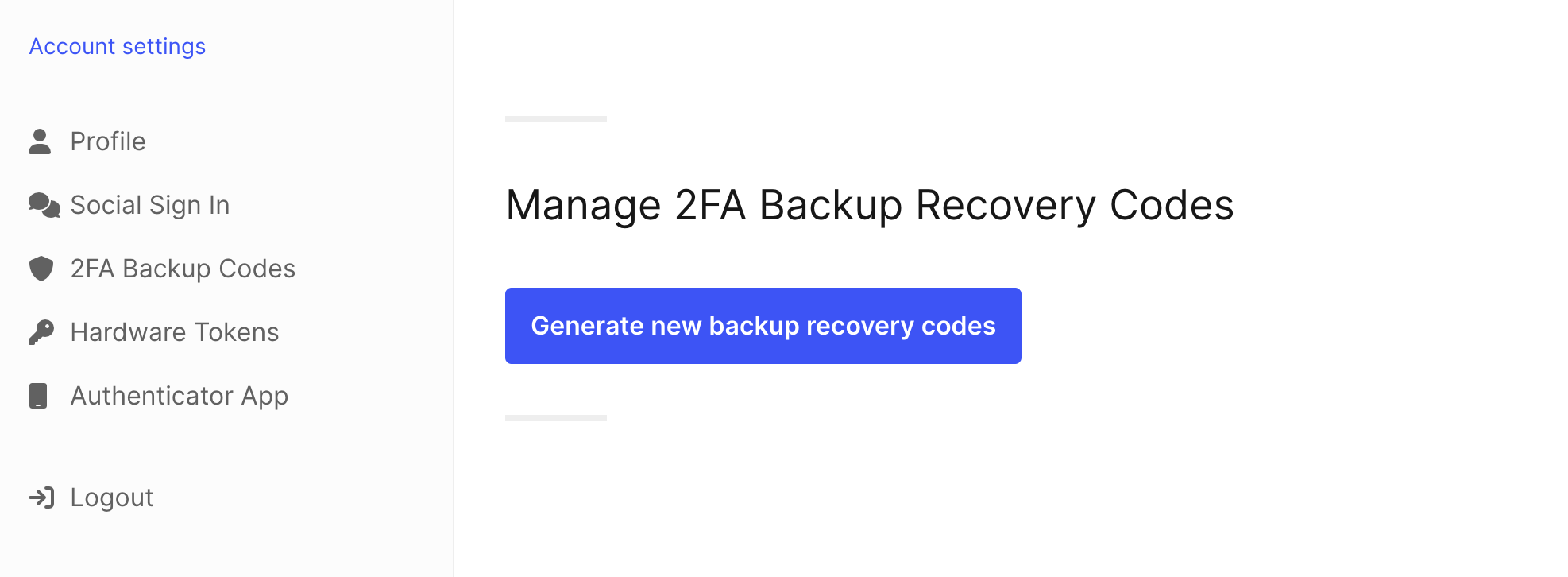
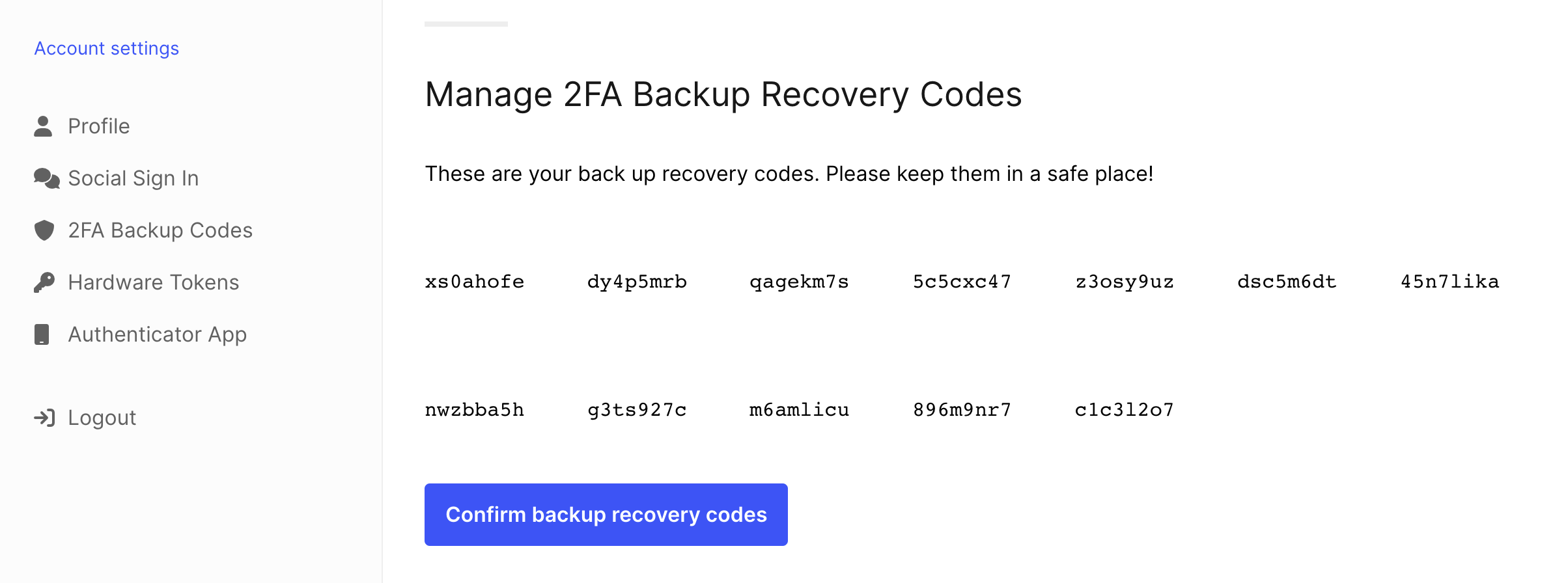
After the server generates the codes, the user must confirm that they received them. To confirm, the user must have a privileged Session. If the privileged session expired, the user is prompted to authenticate.
The codes are valid only when the user confirms they received the codes. It is the user's responsibility to generate new secrets before they use all the available secrets.
Configuration
- Ory Console
- Ory CLI
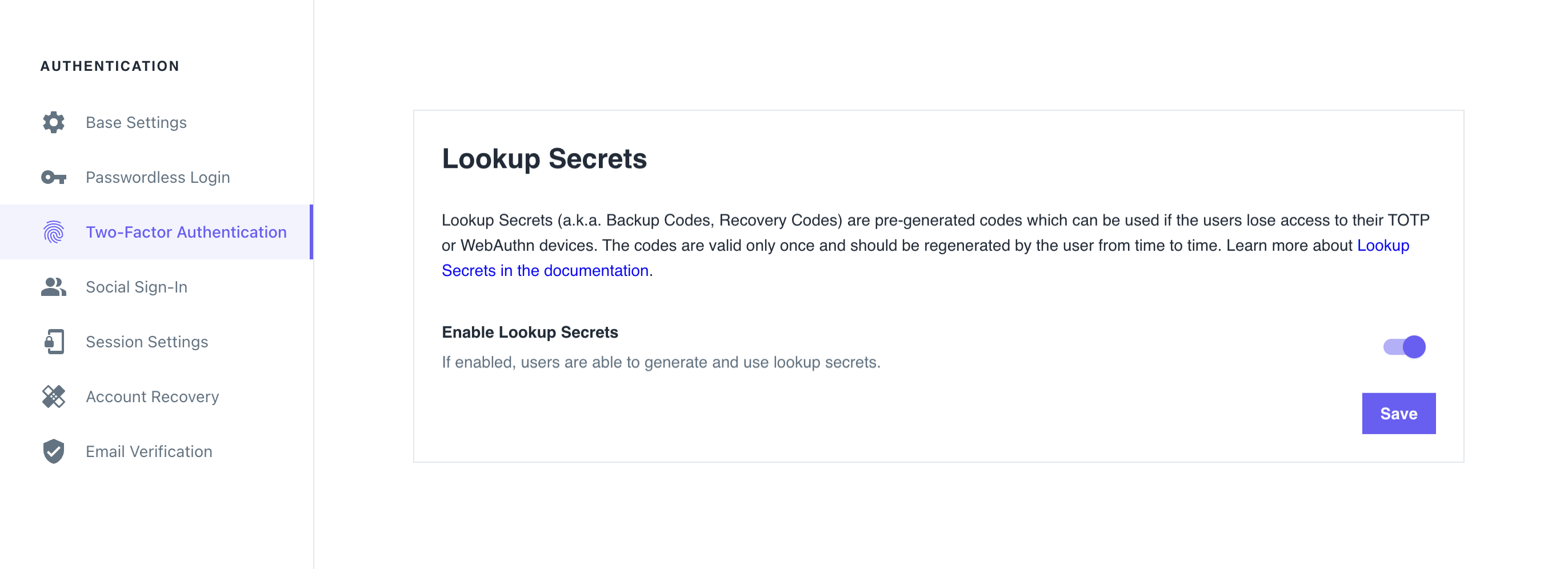
- Go to Authentication → Two-factor auth in the Ory Console.
- In the Lookup Secrets section, use the switch to enable WebAuthn.
- Click Save to finish.
-
Get the Ory Identities configuration from your project and save it to a file:
## List all available workspacesory list workspaces## List all available projectsory list projects --workspace <workspace-id>## Get configory get identity-config --project <project-id> --workspace <workspace-id> --format yaml > identity-config.yaml -
Find
lookup_secretinselfservice/methodsand setenabledtotrue:identity-config.yamllookup_secret:enabled: true -
Update the Ory Identities configuration using the file you worked with:
ory update identity-config --project <project-id> --workspace <workspace-id> --file identity-config.yaml
Identity credentials
When the user generates and/or uses Lookup Secrets, Ory adds the following
entries to the credentials object of the associated identity:
credentials:
  password:
    id: lookup_secret
    identifiers:
      # This is the identity's ID
      - 802471b9-06f5-49d4-a88d-5e7d6bcfed22
    config:
      recovery_codes:
        - code: 3zg9abc
        - code: 1bc6bea
          used_at: 2021-10-14T07:38:51Z
Remaining codes
Ory Kratos Identities reports how many backup recovery codes a user has left. Use the count to remind users to generate new codes before they run out.
Settings flow
While the identity has backup recovery codes, the lookup_secret group of the
settings flow contains a text node with the ID lookup_secret_remaining:
{
  "type": "text",
  "group": "lookup_secret",
  "attributes": {
    "id": "lookup_secret_remaining",
    "node_type": "text",
    "text": {
      "id": 1050025,
      "text": "You have 8 of 12 backup recovery codes left.",
      "type": "info",
      "context": {
        "remaining_codes": 8,
        "total_codes": 12
      }
    }
  },
  "messages": [],
  "meta": {}
}
Read the numbers from remaining_codes and total_codes in the message context
instead of parsing the text. total_codes counts every code in the user's
current set, used or not. A user who used all their codes still has the node,
with remaining_codes set to 0.
The node comes before the button that reveals the codes. After the user reveals the codes, it comes directly before them. After the user generates new codes, the node is removed until the user confirms the new codes. Identities without backup recovery codes don't get the node. For all UI messages, see UI message codes.
Login response
When a user completes a login with a backup recovery code, the successful login
response includes a lookup_secret object. The count already excludes the code
the user just entered:
{
  "session": {
    "id": "8f660ec8-6a2c-4f49-b47f-4f0b0d6f2a8e",
    "active": true,
    "authenticator_assurance_level": "aal2"
  },
  "lookup_secret": {
    "remaining_codes": 2,
    "total_codes": 12
  }
}
Native apps receive the object, and so do browser apps that submit the login as
JSON. Logins that end in a redirect don't include it: browser form submissions,
which receive a 303 See Other redirect, and browser logins that continue an
OAuth2 login challenge. Logins with any other method don't include it either.
See
updateLoginFlow
in the API reference.
Ory Elements
Ory Elements uses these counts:
- The recovery codes section in the settings UI shows how many codes are left, for example "9 of 12 codes left". After the user reveals the codes, each used code shows "Used" and the date it was used. The downloaded file contains only unused codes.
- After a login with a backup recovery code that leaves 3 or fewer codes, the login card reminds the user to generate new codes before it continues the login, except for logins that continue an OAuth2 login challenge. Generate new codes opens the settings UI. Continue finishes the login as usual.
The reminder is part of OrySelfServiceFlowCard, the default login card. If you
pass your own children to <Login> and they don't render
OrySelfServiceFlowCard, the login continues without a reminder. To customize
the recovery codes section, read the codes and counts from the recoveryCodes
and usage props of
OrySettingsRecoveryCodesProps.
With an Ory Kratos Identities version that doesn't report the count, Ory Elements shows the count only after the user reveals the codes, and shows no reminder.