Top 12 CIAM Solutions to Watch and 5 Game-Changing Capabilities
What CIAM solutions do, the capabilities that matter, the main types, the leading solutions compared, and how to choose the right one.
Summary: CIAM solutions manage how customers and partners register, sign in, and access applications. Ory is best for high-scale apps, either self-hosted or managed. Auth0 is best for managed B2C and B2B identity. Ping Identity is best for enterprise journey orchestration with fraud controls. Amazon Cognito is best for AWS-native apps.
What Is a CIAM Solution?
A Customer Identity and Access Management (CIAM) solution is a specialized security and user-experience platform that manages digital identities, registration, and access controls for external users like consumers, partners, and clients.
CIAM solutions centralize customer authentication, identity profiles, and access policies across websites, mobile apps, and APIs. They typically use standards such as OAuth 2.0, OpenID Connect (OIDC), and SAML 2.0 to support secure authentication and identity federation. Instead of building separate login systems for each application, developers can integrate CIAM through APIs, SDKs, and prebuilt authentication components.
CIAM platforms also manage the customer identity lifecycle, from initial registration and account verification to profile updates, credential recovery, and account deletion. They support large user populations, variable login traffic, and multiple authentication methods. Advanced solutions add adaptive security controls, consent management, and fine-grained authorization to protect customer data while maintaining convenient access.
CIAM vs. traditional IAM:
- Primary users: CIAM serves customers and external users; traditional IAM serves employees and workforce users.
- Main priorities: CIAM emphasizes scalability, customer experience, and privacy; traditional IAM emphasizes enterprise security and governance.
- Authentication: CIAM supports social login, passkeys, and adaptive MFA; traditional IAM emphasizes enterprise SSO and directory-based access.
- Identity management: CIAM manages profiles, consent, and account recovery; traditional IAM handles provisioning, access reviews, and offboarding.
- Complementary roles: Organizations often use CIAM for customer-facing applications and traditional IAM for internal systems.
Game-changing capabilities of modern CIAM solutions:
- Self-service registration, account recovery, and profile management: Let customers manage their identities independently, reducing support requests and administrative overhead.
- Passkeys, passwordless login, and social sign-in: Simplify authentication with flexible sign-in options, including phishing-resistant passkeys and existing identity provider accounts.
- Multi-factor and risk-based authentication: Protect accounts with additional verification tailored to login risks and sensitive actions.
- Fine-grained authorization with relationship-based access control: Manage permissions based on relationships between users, resources, and organizations.
- Organization management, enterprise SSO, and SCIM provisioning: Support B2B customers with organization-specific controls, corporate sign-in, and automated user lifecycle management.
CIAM Solutions at a Glance
The table below summarizes the key differences between the CIAM solutions covered in this guide. We explore each solution in more detail in the sections that follow.
Auth0 Migration: Your Best Practices Guide to a Smooth Transition

Considering moving off Auth0? Learn the best practices for a seamless migration, including how to avoid broken logins, reduce downtime, and gain full control of your identity stack without breaking anything.
Why Businesses Need CIAM Solutions
Customer identity and access management (CIAM) helps businesses deliver convenient, secure access to digital services while managing customer identity data responsibly. Its capabilities address three key priorities: reducing authentication friction, protecting accounts, and supporting privacy compliance.
- Reducing friction in customer sign-up and login: Streamlined registration, social login, SSO, and passwordless authentication simplify access. Progressive profiling lets businesses collect information gradually, helping reduce abandonment and improve engagement.
- Protecting customer accounts from takeover and fraud: MFA, passkeys, and risk-based authentication help counter credential attacks and unauthorized access. By evaluating contextual signals, CIAM platforms can require additional verification when risk rises without adding unnecessary friction for legitimate customers.
- Meeting GDPR, CCPA, and other privacy requirements: Centralized profiles, consent management, access controls, and audit logs support privacy obligations. Self-service tools help customers manage information and privacy requests, but compliance still depends on appropriate configuration, lawful practices, and coordination across connected systems.
CIAM vs. Traditional IAM
Customer Identity and Access Management (CIAM) and traditional Identity and Access Management (IAM) solutions both control how users authenticate and access digital resources. However, CIAM focuses on external users, such as customers and partners, while traditional IAM primarily manages employees and other workforce identities. This distinction influences how each system handles authentication, scalability, user experience, and access governance.
Traditional IAM systems prioritize enterprise security, centralized access policies, and employee lifecycle management. They typically integrate with corporate directories, HR systems, and enterprise applications to manage employee onboarding, role-based permissions, and access reviews. CIAM solutions, by contrast, are designed for customer-facing applications where organizations must support large user populations, minimize login friction, and protect personal information.
Organizations often use both solutions to address different identity management requirements. For example, an e-commerce company might use CIAM to manage millions of customer accounts while relying on workforce IAM to control employee access to internal applications and administrative systems.
CIAM vs IAM
Discover the major differences and similarities between CIAM and IAM, and which is right for your identity management.
5 Game-Changing Capabilities of Modern CIAM Solutions
CIAM solutions offer broad functionality, which also differs between different types of CIAM, as explained in the following section. We chose to spotlight a few critical capabilities that, in our experience, make a big difference to modern organizations.
1. Self-Service Registration, Account Recovery, and Profile Management
CIAM solutions allow customers to create and manage their accounts without relying on administrative assistance. Self-service registration typically includes customizable sign-up forms, email or phone verification, and progressive profiling, which allows organizations to collect additional customer information over time. Businesses can configure registration workflows based on application requirements while minimizing unnecessary steps that could discourage new users.
Self-service account recovery enables users to regain access when they forget credentials, lose authentication devices, or encounter account lockouts. CIAM platforms can support multiple recovery methods such as verified email links, backup authentication factors, and identity verification workflows. Customers can also update contact details, manage connected accounts, review active sessions, and adjust privacy preferences through dedicated profile management interfaces.
These capabilities reduce support requests and administrative overhead while giving customers greater control over their digital identities. Organizations can also apply security policies to sensitive profile changes, requiring additional authentication before allowing users to modify recovery methods or other critical account settings.
2. Passkeys, Passwordless Login, and Social Sign-In
CIAM solutions support modern authentication methods that reduce reliance on traditional passwords. Passkeys use public-key cryptography and standards such as WebAuthn and FIDO2 to authenticate users through device-based mechanisms, including biometrics, PINs, or hardware security keys. Because passkeys are bound to the legitimate service's domain and do not require users to enter reusable passwords, they provide strong protection against phishing and credential theft.
Other passwordless methods include email magic links and one-time verification codes delivered through email or SMS. These methods simplify authentication but have different security characteristics and may remain vulnerable to phishing or account compromise. CIAM platforms can offer multiple authentication options and configure fallback mechanisms based on user preferences, device compatibility, and security requirements.
Social sign-in allows customers to authenticate using existing accounts from identity providers such as Google, Apple, or Microsoft. Using federation protocols such as OpenID Connect (OIDC), CIAM solutions can verify external identities without requiring customers to create additional passwords. This reduces registration friction and supports consistent authentication experiences across applications.
Learn about FedCM, a proposed standard by Ory Security that aims to replace the traditional passwordless flow with a private preserving alternative
3. Multi-Factor and Risk-Based Authentication
Multi-factor authentication (MFA) protects customer accounts by requiring verification through multiple independent authentication factors. CIAM solutions commonly support authenticator applications, hardware security keys, passkeys, and one-time codes. Organizations can configure authentication requirements according to account sensitivity, application functionality, and the risks associated with specific user actions.
Risk-based authentication adds contextual intelligence to the login process by evaluating signals such as device information, IP reputation, geographic location, and unusual authentication behavior. For example, a customer signing in from a familiar device may be allowed to proceed without additional verification, while an unfamiliar login attempt could trigger an MFA challenge or other security checks.
CIAM platforms can also implement step-up authentication for sensitive operations, including changing account recovery settings, accessing confidential information, or initiating high-value transactions. This approach concentrates additional security controls where they are most needed, helping organizations protect customer accounts without adding friction into routine interactions.
4. Fine-Grained Authorization With Relationship-Based Access Control
Beyond verifying customer identities, CIAM solutions can help organizations determine which resources and actions authenticated users are permitted to access. Basic authorization models, such as role-based access control (RBAC), assign permissions according to predefined roles. However, applications with complex sharing requirements, hierarchical organizations, or collaborative workflows may require more granular authorization policies.
Relationship-based access control (ReBAC) determines permissions according to relationships between users, resources, and organizations. For example, a project management application might allow users to view documents belonging to projects they are members of, while granting editing permissions only to designated collaborators. ReBAC can represent these relationships without requiring organizations to create a separate role for every possible access scenario.
Advanced CIAM platforms may provide built-in authorization engines or integrate with external fine-grained authorization services, including systems based on Zanzibar-style permission models. These capabilities support centralized policy management, consistent authorization decisions across applications, and dynamic permission updates as user relationships change. Organizations should verify whether a CIAM provider supports fine-grained authorization natively or requires an additional service.
5. Organization Management, Enterprise SSO, and SCIM Provisioning
Business-to-business (B2B) applications often serve multiple customer organizations, each with its own users, administrators, authentication policies, and access requirements. CIAM solutions with organization management capabilities allow applications to represent customer organizations as separate tenants or organizational entities. Each organization can manage its members, assign roles, configure access policies, and control administrative permissions without affecting other customers.
Enterprise single sign-on (SSO) enables business customers to authenticate through their existing corporate identity providers, such as Microsoft Entra ID or Okta. CIAM solutions commonly support SAML 2.0 and OpenID Connect federation, allowing users to access B2B applications through their organization's established authentication processes. This reduces password proliferation and allows enterprise customers to enforce their own authentication policies.
System for Cross-domain Identity Management (SCIM) supports automated user provisioning and deprovisioning between an enterprise identity provider and a B2B application. Using SCIM, organizations can synchronize user accounts and, where supported, group memberships as employees join, change roles, or leave the company. Combined with organization management and enterprise SSO, these capabilities help B2B SaaS providers simplify customer onboarding, reduce manual administration, and maintain more consistent access controls across customer environments.
4 Types of CIAM Solutions
CIAM solutions differ in how they are deployed, managed, and integrated with applications. Some provide open-source components that organizations can host and customize, while others offer fully managed identity services or specialized tools for enterprise security. The main types include:
- Open-source and self-hostable CIAM solutions: Give organizations control over identity infrastructure, deployment, and customization. They suit teams with strict data residency requirements or the resources to manage their own systems.
- Developer-focused managed CIAM platforms: Provide hosted authentication services, APIs, SDKs, and prebuilt login components. They reduce infrastructure management and help developers integrate identity features into web and mobile applications.
- Enterprise CIAM and identity fraud platforms: Combine customer authentication with identity verification, fraud detection, risk-based access controls, and journey orchestration. They suit large organizations managing complex customer interactions across multiple channels.
- Cloud provider CIAM services: Offer authentication and user management integrated with cloud ecosystems such as AWS, Microsoft Azure, and Google Firebase. They simplify integration for applications already using those environments but may introduce platform dependencies.
Notable CIAM Solutions Compared
How we selected these solutions: We shortlisted CIAM solutions based on their support for customer registration and login, passwordless and multi-factor authentication, identity federation and SSO, authorization controls, and security and privacy capabilities.
Self-Hostable
1. Ory Self-Hosted

Best for: Full-control CIAM in regulated, sovereign, or air-gapped setups
Strengths: Apache 2.0 core, SLA-backed CVE patching, multi-tenancy, SSO
Things to consider: Enterprise features and SLAs require a commercial license
Ory Self-Hosted runs Ory's identity stack on your own infrastructure. The stack has five parts: Ory Kratos for identities, Ory Hydra for OAuth2 and OpenID Connect, Ory Keto for permissions, Ory Polis for B2B federation and enterprise SSO, and Ory Oathkeeper as an IAM proxy. The core projects are open source under the Apache 2.0 license.
For production environments, the Ory Enterprise License (OEL) provides private enterprise container images and production Helm charts. It also includes 24x7 support with severity-based SLAs and scheduled CVE patches. Teams deploy OEL on Kubernetes, VMs, or a private cloud. OEL uses the same APIs and configuration formats as the open source servers and Ory Network, so teams can switch deployment models without rewriting application code.
Key features include:
- Identity management: Ory Kratos manages identities and supports social single sign-on in all editions. With OEL it adds B2B organizations, CAPTCHA, Federated Credential Management (FedCM), advanced identity search, and purpose-based data retention.
- Certified OAuth2 and OpenID Connect: Ory Hydra is OpenID Certified and supports OAuth 2.0 and OpenID Connect, with OAuth 2.1 support. OEL adds stateless JWT access tokens, credential rotation, token exchange, the Resource Owner Password Credentials (ROPC) grant, verifiable credentials, and custom token prefixes.
- Enterprise SSO and federation: Ory Polis provides SAML and OIDC single sign-on and directory sync. OEL adds identity federation, dedicated SSO endpoints, event streaming, end-to-end tracing, and an admin onboarding portal with custom branding.
- Multi-tenancy: OEL supports multiple tenants within a single deployment, alongside B2B organizations in Ory Kratos.
- Fine-grained permissions: Ory Keto handles permission checks. OEL adds optimized permission checks and integration with Open Policy Agent (OPA) and retrieval-augmented generation (RAG) workflows.
- Scaling and resilience: With CockroachDB Enterprise, OEL supports horizontal database scaling, sharding, multi-region failover, and data homing. It also adds high-performance connection pooling, zero-downtime upgrades and migrations, and automated cleanup of stale sessions and tokens.
- Security and compliance tooling: OEL releases ship 40 to 50 times a year with documented CVE coverage, software bills of materials (SBOMs), cryptographic and AI bills of materials (CBOM and AIBOM), and FIPS 140-3 compatibility.
Limitations (as reported by users on G2):
- Self-hosting documentation: Some users find that documentation and guidance for self-hosted setups are less detailed than for the managed service.
- Open source release pace: Some users would like faster responses to pull requests and quicker delivery of new features in the open source projects.
- Initial setup complexity: First-time users report that some concepts, such as OAuth2 configuration, take time to understand.
2. Keycloak

Best for: Teams wanting a free, self-hosted open-source IAM server
Strengths: SSO, identity brokering, LDAP/AD federation, fine-grained authorization
Things to consider: Self-managed operations and a steep setup learning curve
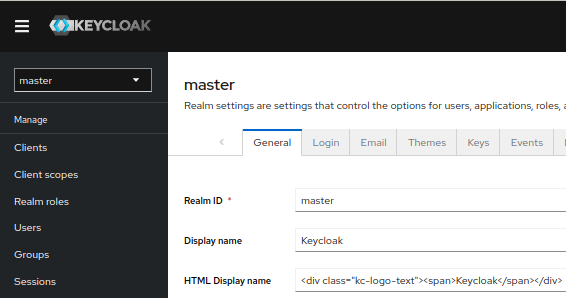
Keycloak is an open-source identity and access management server and a Cloud Native Computing Foundation incubation project. Applications delegate authentication to Keycloak, so they do not need to handle login forms, authenticate users, or store user credentials.
Keycloak is based on OpenID Connect, OAuth 2.0, and SAML 2.0. It includes an admin console for administrators and an account management console for end users. It also supports clustering for scalability and availability.
Key features include:
- Single sign-on and single sign-out: Users log in once to access multiple applications and log out once to end sessions in all applications that use Keycloak.
- Identity brokering and social login: Administrators enable social login and connect existing OpenID Connect or SAML 2.0 identity providers through the admin console, without application code changes.
- User federation: Connects to existing LDAP or Active Directory servers, and supports custom providers for users stored in other systems such as relational databases.
- Admin console: Centralizes management of applications, services, identity brokering, user federation, users, permissions, sessions, and authorization policies.
- Account management console: Lets users update their profile, change passwords, set up two-factor authentication, manage sessions, view account history, and link additional identity providers.
- Authorization services: Provides fine-grained authorization policies beyond role-based access, managed from the admin console.
- Customization and extensibility: Supports themes for the login look and feel, configurable password policies, and code-based extensions.
Limitations (as reported by users on Spotsaas):
- Documentation scope: Some users find the documentation focuses on basic scenarios and covers only a fraction of what Keycloak can do.
- Expertise required: Users report that getting the most out of Keycloak requires advanced users or a specialized team.
- Customization effort: Some users describe customization as difficult to work with.
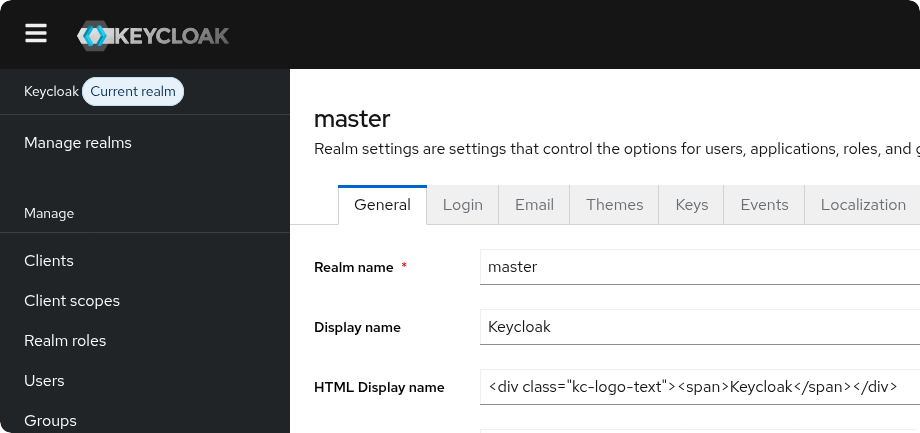
Source: Keycloak
3. FusionAuth

Best for: Teams needing CIAM they can deploy anywhere, including air-gapped
Strengths: API-first design, passkeys, MFA, M2M auth, self-hosting options
Things to consider: Admin UI and advanced configuration can be complex
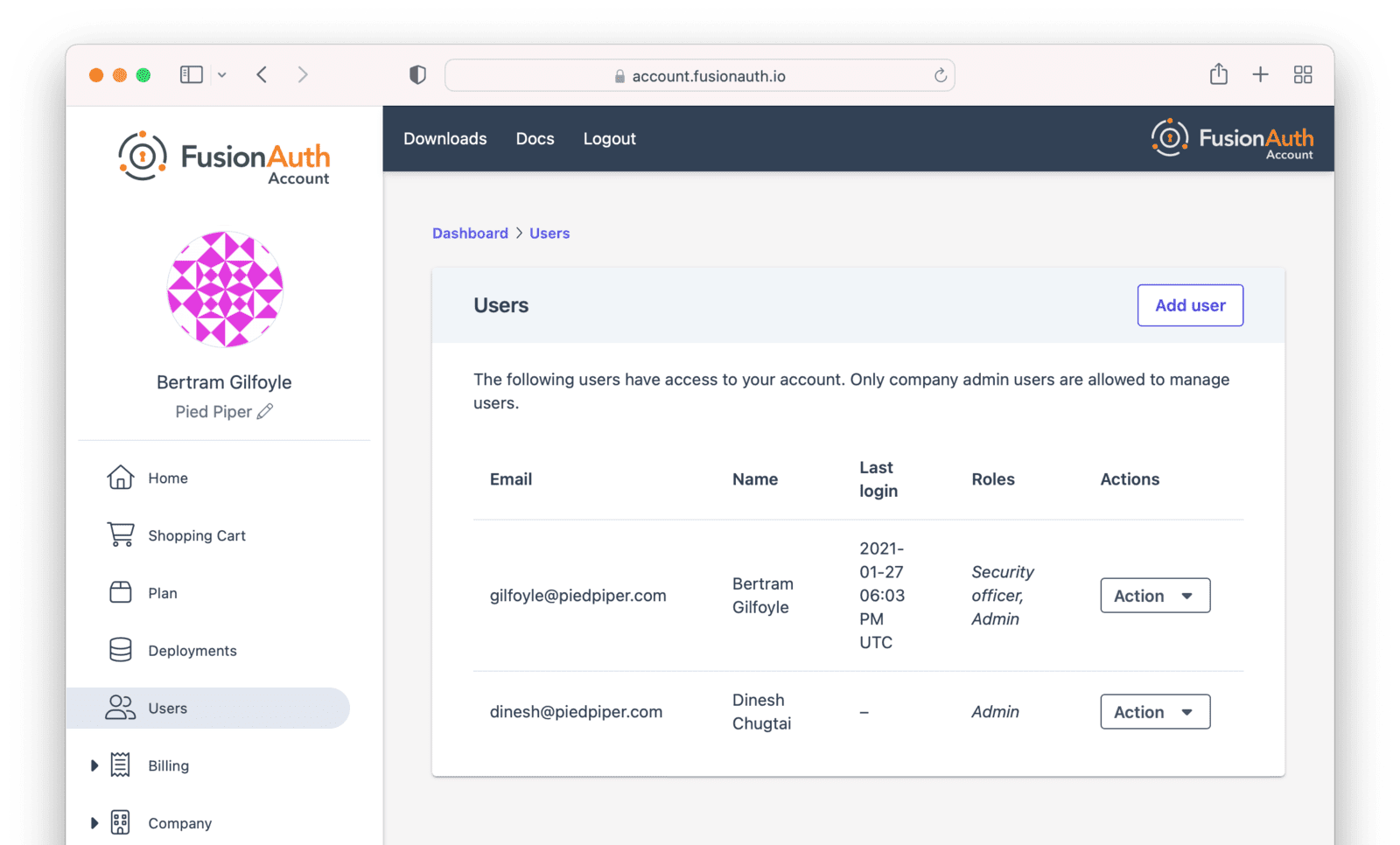
FusionAuth is a CIAM platform that can run self-hosted, in dedicated environments, on-premises, hybrid, or air-gapped, as well as in FusionAuth Cloud. Every identity capability is available through an API, so identity can be integrated into products, pipelines, and workflows.
FusionAuth authenticates users, services, and AI agents, and controls what they can access with fine-grained authorization. It supports B2C, B2B, B2B2C, partner, API, and machine-to-machine identity models. A free Community Edition is available for download.
Key features include:
- Flexible deployment: Runs self-hosted, dedicated, on-premises, hybrid, or air-gapped, and can be deployed in any geography to meet data residency and regulatory requirements.
- API-driven architecture: Exposes every identity capability through APIs, with SDKs and quickstarts for frameworks such as React, Next.js, Angular, Python, Java, Go, and .NET.
- Authentication methods: Supports passkeys, passwordless login, magic links, biometric authentication, social logins, SSO, and multi-factor authentication, including Intelligent MFA that challenges users based on risk.
- Security controls: Includes advanced threat detection and breached password detection to protect user accounts.
- Authorization: Provides role-based access control and fine-grained authorization for users, services, and AI agents.
- Machine-to-machine authentication: Authenticates services and controls their access alongside human users.
- Organizations and complex user models: Supports organizations and multi-model identity across B2C, B2B, B2B2C, and partner scenarios.
- Webhooks and extensibility: Provides webhooks and extensibility options to adapt identity flows as products change.
Limitations (as reported by users on G2):
- Admin interface navigation: Users report that the admin UI is not always intuitive and that simple changes can require navigating several menus.
- Theme customization effort: Users find that matching the hosted login pages to their brand takes extra work, especially once they move beyond simple themes.
- Paid features and license cost: Some users note that useful features require paid plans and that the self-hosted license cost can be high for smaller projects.
- Reporting: Users would like more advanced reporting on users, usage, and sessions from the dashboard.
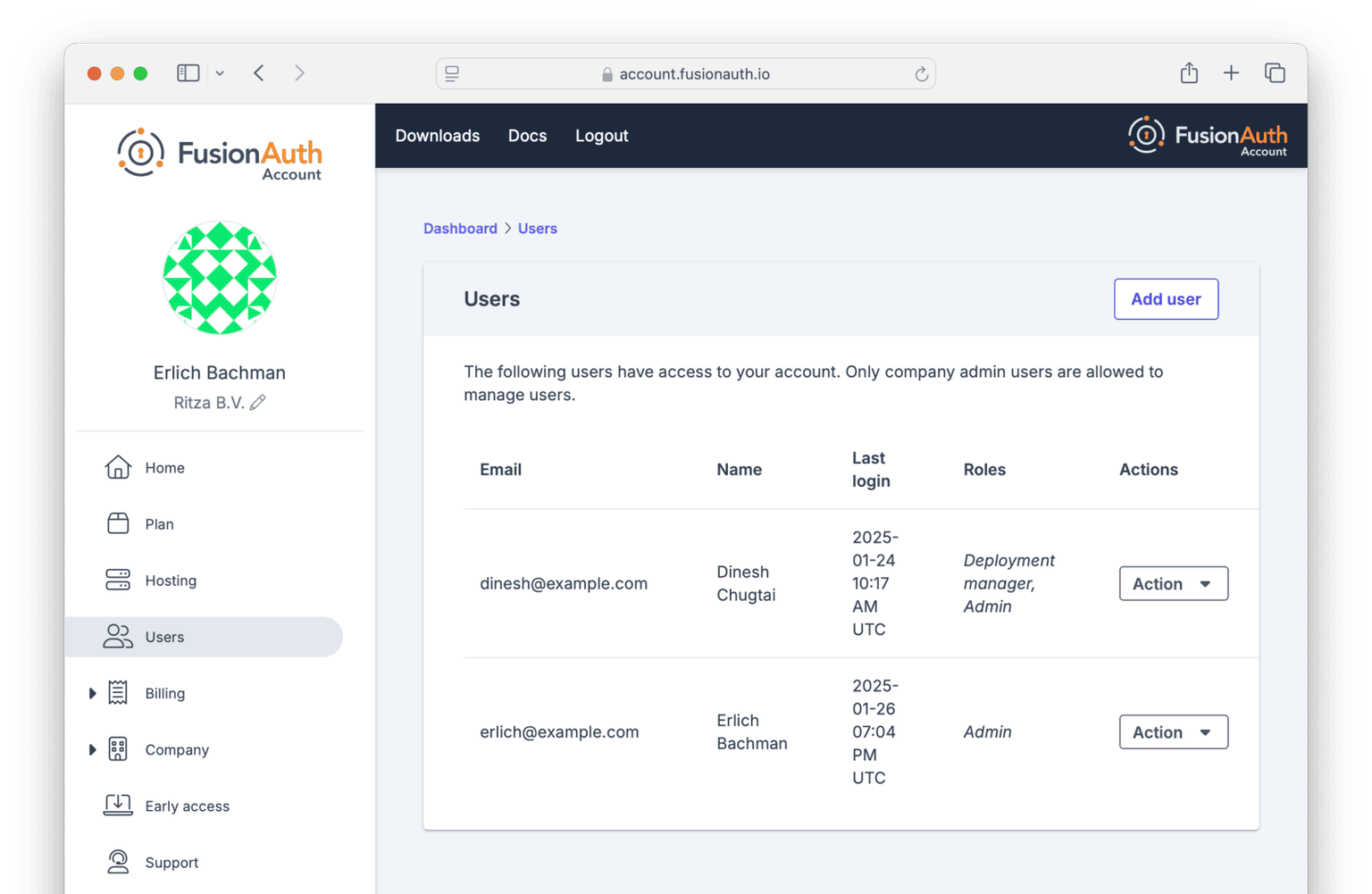
Source: FusionAuth
Developer-Focused Managed CIAM Platforms
4. Ory Network
Best for: High-scale consumer apps that want identity as a managed service
Strengths: Global edge network, multi-region data, passkeys, Ory Console
Things to consider: Learning curve for teams new to identity concepts
Ory Network is Ory's fully managed CIAM platform, hosted on Google Cloud Platform. It runs Ory Kratos, Hydra, Keto, Oathkeeper, and Polis as a SaaS service. Ory handles provisioning, scaling, CVE patching, backups, failover, and upgrades. The platform operates in three super regions: Europe, North America, and Japan.
Teams manage projects and environments (development, staging, production) through the Ory Console, the Ory CLI, a Terraform provider, or the API. Ory Network uses the same APIs as the self-hosted servers, and the Ory CLI can migrate open source configurations into a Network project. Billing is usage-based or subscription-based, and a free tier is available.
Key features include:
- No-code login configuration: The Ory Console adds social sign-in providers, activates passkeys, grants permissions, and customizes UI elements without code. Teams can use the no-code Account Experience login UI, or build custom screens with Ory Elements UI components. Forms and emails are customizable in both.
- Passkeys and MFA: Users can sign up and sign in with Face ID, Touch ID, YubiKeys, and other passkeys, which also serve as a multi-factor authentication method. Pwned password detection checks credentials against known breaches.
- OAuth2, OIDC, and enterprise SSO: Fully managed OAuth2 and OpenID Connect flows connect applications through open standards. SAML and OIDC enterprise SSO, directory sync, and identity federation integrate external identity providers.
- Multi-tenancy and B2B: Projects can support multiple tenants for SaaS applications, with B2B organizations and an admin onboarding portal that supports custom branding.
- Permissions and audit logs: A permission language defines and enforces fine-grained access control, and detailed audit logs record activity.
- Global edge and multi-region availability: A global edge network with regional points of presence speeds up authentication flows. Services scale vertically and horizontally automatically. CockroachDB replicates data across regions and handles failover during region or node outages.
- Privacy and compliance: Data homing and regional encryption support GDPR and CCPA requirements. Tenant workloads are isolated, data is encrypted in transit and at rest, and Ory maintains SOC 2 and ISO 27001 certifications and publishes SBOMs.
- User insights and migration: Built-in analytics show user behavior across sign-up and engagement. Existing configurations, identity schemas, and user identities can be imported into a Network project.
Limitations (as reported by users on G2):
- Learning curve: Teams unfamiliar with identity systems may need time to learn Ory's concepts and components.
- Practical examples: Some users would like more practical examples in the documentation.
- Advanced use cases: Some users report that documentation for advanced scenarios can lag behind the product.
5. Auth0

Best for: B2C and B2B SaaS apps needing a managed, extensible identity platform
Strengths: Universal Login, adaptive MFA, FGA, enterprise SSO, 30+ SDKs
Things to consider: Costs rise with user growth; advanced features in higher tiers
Auth0, part of Okta, is a cloud identity platform for B2C apps, B2B SaaS, machine identities, and AI agents. For consumer apps, it provides passwordless login, social login, adaptive MFA, bot detection, and progressive profiling.
For B2B SaaS, Auth0 provides enterprise connections, SSO, SCIM, multi-tenancy, and self-service configuration for business customers. It offers more than 30 SDKs and quickstarts and can be deployed on Azure and AWS.
Key features include:
- Universal Login and embedded login: Provides a centralized hosted login experience as well as embedded login options for applications.
- Passwordless and adaptive MFA: Supports passwordless authentication, social logins, and adaptive multi-factor authentication that adjusts to login risk.
- Login security: Includes bot detection and breached password detection to protect sign-up and login flows.
- B2B identity: Supports enterprise connections, SSO, SCIM, Organizations, tenancy, self-service enterprise configuration, and embeddable UI components through the My Organization API.
- Fine-Grained Authorization (FGA): Enforces granular permissions for human users and AI agents, including access to retrieval-augmented generation (RAG) data.
- Machine-to-machine and API security: Issues short-lived tokens with the client credentials flow, rotates signing keys through JWKS rotation, and supports private key JWT and mTLS client authentication.
- Extensibility: Provides Actions and Forms to customize identity flows, plus options for highly regulated identity requirements.
- AI agent identity: Provides Token Vault, authentication for MCP, and asynchronous authorization with human approval for critical transactions.
Limitations (as reported by users on G2):
- Pricing at scale: Users report that costs can increase quickly as the number of users grows.
- Tiered features: Some customizations and advanced security features are only available on higher pricing tiers.
- Configuration complexity: Users find the many settings and configurations overwhelming once they move beyond basic authentication.
- Learning curve: Some users report that significant technical expertise is needed to use Auth0 effectively.
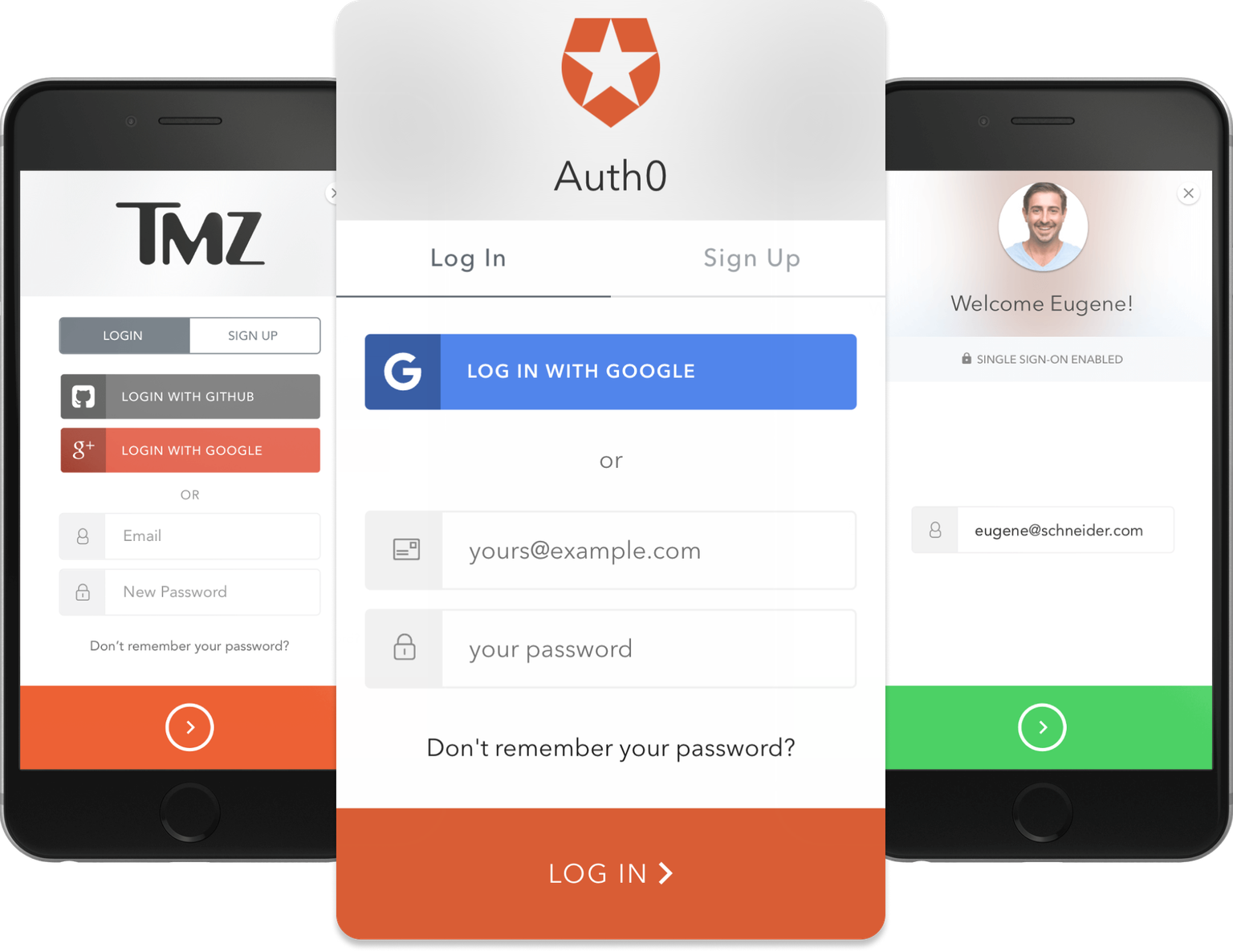
Source: Auth0
6. Descope

Best for: Teams building auth journeys with visual, no-code workflows
Strengths: Drag-and-drop flows, passwordless, adaptive MFA, B2B SSO and SCIM
Things to consider: Learning curve for complex flows; docs lighter on edge cases
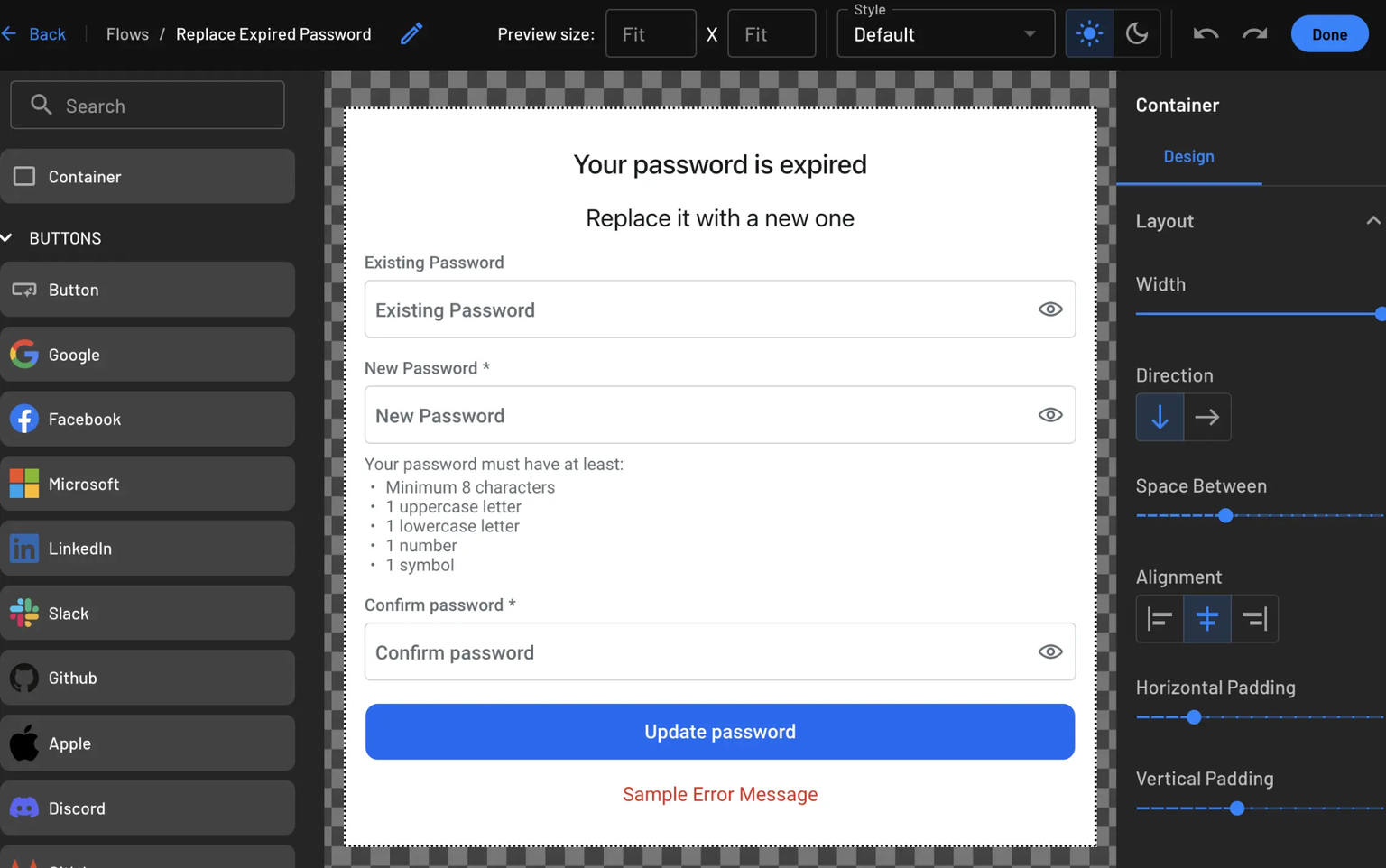
Descope is a customer and agentic identity platform. Teams build identity journeys for customers, partners, AI agents, and MCP servers using visual workflows, SDKs, and APIs.
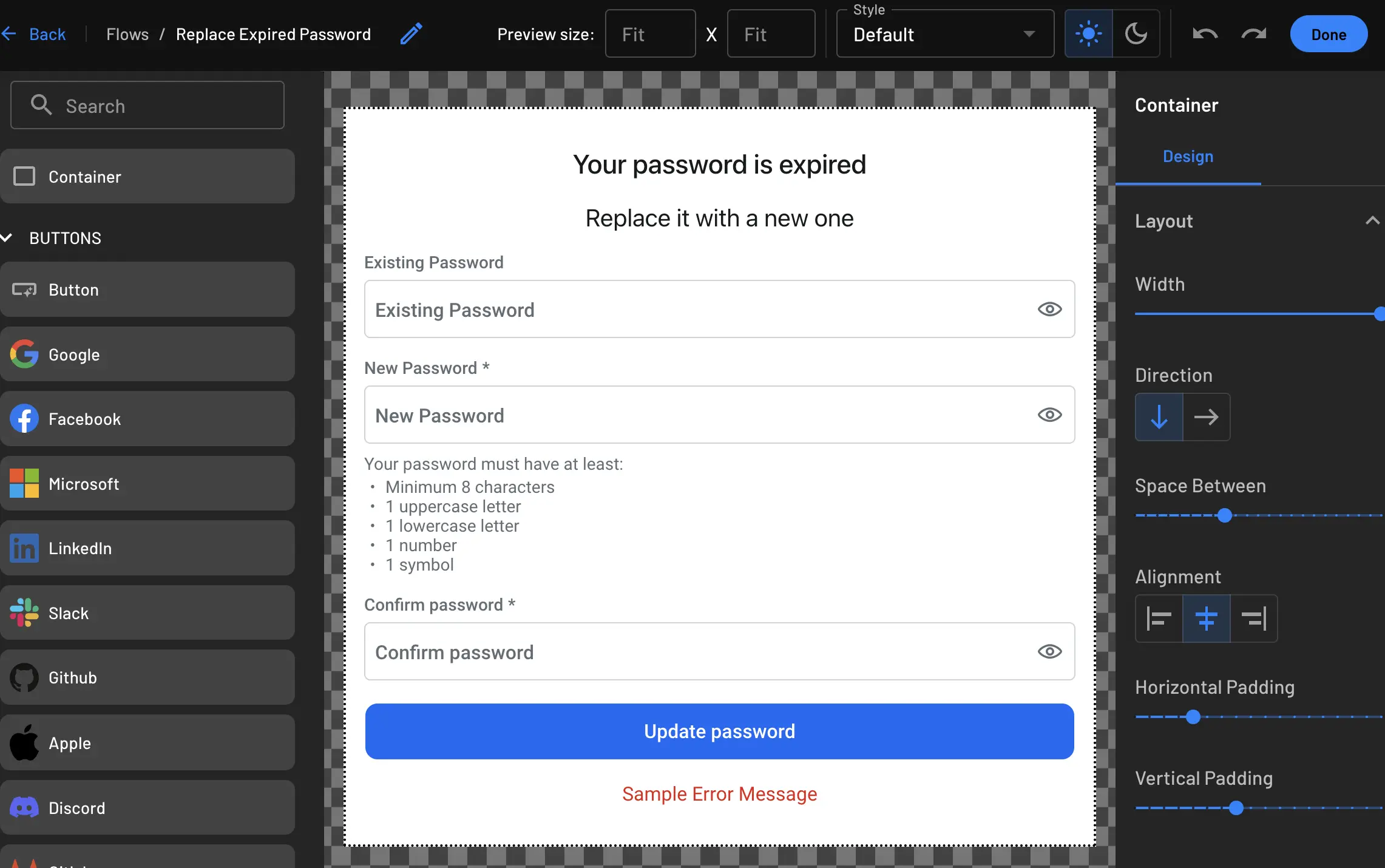
Descope Flows control both the user-facing screens and the backend logic of authentication journeys. Teams can change flows without modifying their application code. The platform supports B2C and B2B use cases and connects to more than 50 third-party tools.
Key features include:
- Descope Flows: A drag-and-drop workflow builder for sign-up, login, MFA, SSO, and step-up authentication, with styling controls for branded screens.
- Authentication methods: Supports magic links, passkeys, social login, One Tap, one-time passwords over email and SMS, biometrics, authenticator apps, passwords, and SSO.
- Adaptive MFA and step-up authentication: Enforces MFA for risky logins using native and third-party risk signals, and adds step-up checks before sensitive actions.
- User management: Verifies identifiers such as emails and phone numbers, and merges user identities across authentication methods.
- Fine-grained authorization: Adds RBAC, ReBAC, and ABAC access controls to applications.
- B2B CIAM: Provides self-service SSO and SCIM setup, multi-tenancy, delegated admin, and self-service widgets for end users.
- Identity orchestration and federation: Supports just-in-time provisioning, data syncs, and connectors to third-party tools, and can act as a federated OIDC identity provider to add passwordless login to an existing IdP.
- Agentic identity: Provides standards-based authentication, consent, credential management, and Dynamic Client Registration security for AI agents and MCP servers.
Limitations (as reported by users on G2):
- Setup complexity: Users report that setting up complex flows and SSO configurations takes time and effort.
- Documentation depth: Some users find the documentation light on advanced scenarios and edge cases.
- Plan and usage visibility: Users note that plan and billing information is not available self-service in the console and requires contacting support.
- Flows dependency: Some users report that certain use cases are only supported through Flows rather than the API or SDKs.
Source: Descope
7. Frontegg

Best for: B2B SaaS products needing multi-tenant identity and self-service admin
Strengths: Multi-tenancy, Admin Portal, SSO/SCIM, entitlements, low-code flows
Things to consider: API documentation gaps and limited hosted login UI styling
Frontegg is a low-code CIAM platform built with multi-tenancy by design. It manages single-tenant or multi-tenant organizational structures, with separate configurations, policies, and branding for each account.
After developers integrate Frontegg, product, security, and customer success teams can manage login flows, policies, and users through low-code tools. Frontegg also provides Agen.co for governing AI agent access to enterprise context.
Key features include:
- Multi-tenancy: Manages organizational structures, configurations, policies, and branding per customer account.
- Enterprise readiness: Provides SSO and SCIM for enterprise customers with complex security requirements.
- Entitlements: Defines access controls based on subscription, feature flags, or object-level attributes (ABAC) through a single API.
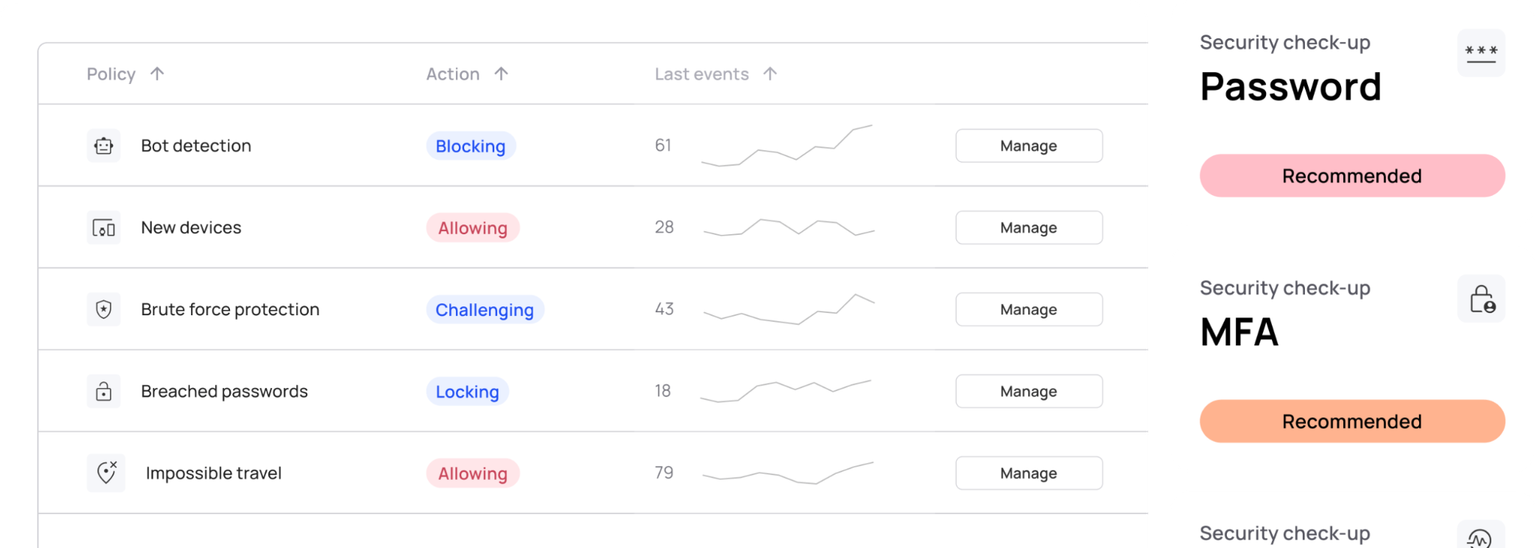
- Admin Portal: Lets customers manage their own users, roles, and permissions, including SSO configuration.
- Multi-apps: Manages user identities across multiple products from one platform.
- Security controls: Gives security teams adaptive MFA, compliance dashboards, and threat visibility to enforce policies.
- No-code login flows: Lets product teams design and test login flows and subscription packages without engineering work.
- Developer tooling: Provides APIs, webhooks, and open-source SDKs, with authentication and authorization checks performed at the edge.
Limitations (as reported by users on G2):
- API documentation gaps: Users report that not all APIs are fully documented, which sometimes requires contacting support.
- Troubleshooting: Users find error messages vague and visibility into hosted login behavior limited when debugging.
- Login UI customization: Some users find customization options for the hosted login box and Admin Portal limited for matching their brand.
- Service interruptions: Some users report occasional outages that affected their platform.
Source: Frontegg
Enterprise CIAM and Identity Fraud Platforms
8. Ping Identity
Best for: Large enterprises orchestrating customer journeys with fraud controls
Strengths: No-code orchestration, AI fraud detection, passwordless, consent
Things to consider: Complex configuration that often needs specialized skills
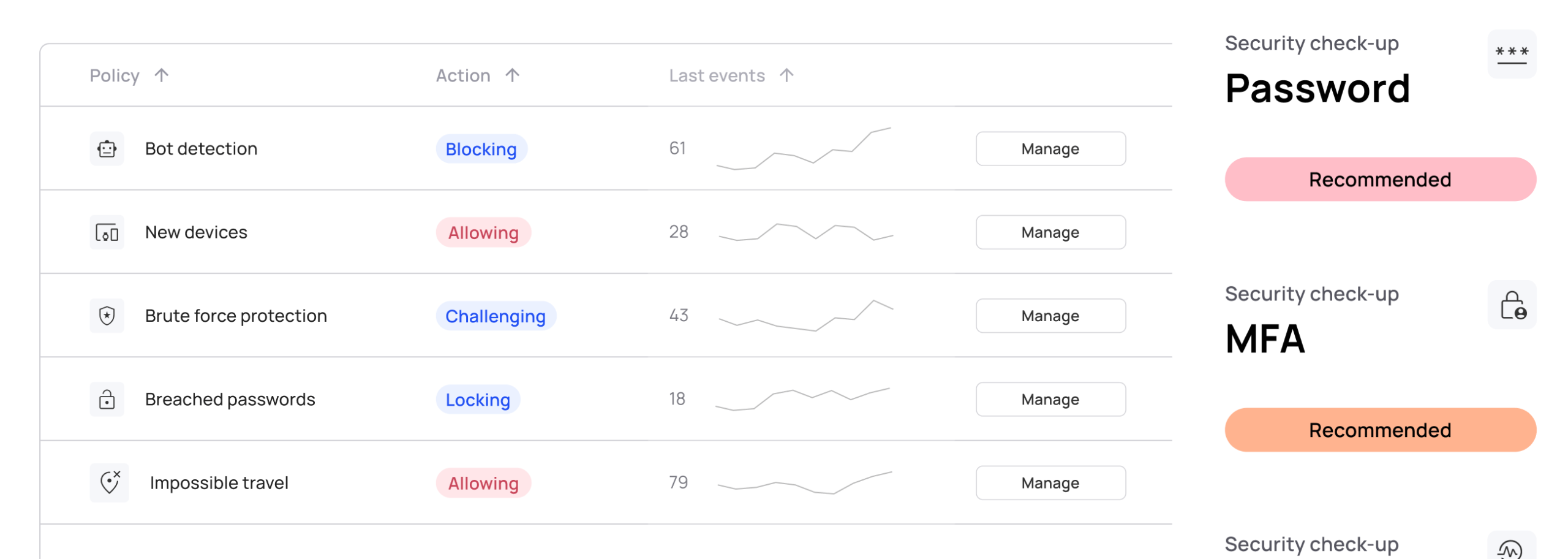
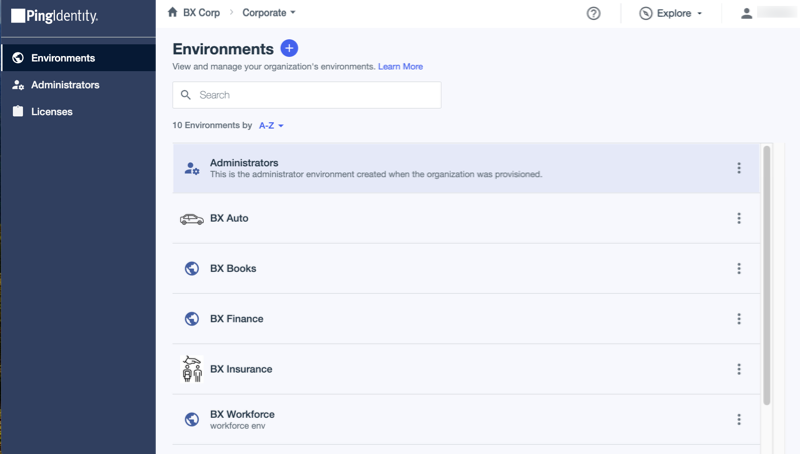
Ping Identity’s CIAM solution manages customer registration, login, and self-service across mobile, web, and in-store channels. It combines no-code identity orchestration, AI-driven fraud detection, passwordless authentication, and consent management.
Ping uses a vendor-agnostic orchestration engine that connects Ping and third-party authentication, identity verification, fraud prevention, and authorization tools. Organizations can implement it with integration partners, Ping professional services, or internal teams.
Key features include:
- Identity orchestration: Builds customer registration and login journeys with a no-code orchestration engine that connects Ping and third-party services.
- AI-powered fraud detection: Detects credential stuffing, bots, deepfakes, and anomalies in real time.
- Passwordless authentication: Supports biometrics, passkeys, magic links, and social logins.
- Adaptive risk-based MFA: Challenges only access attempts that cross a risk threshold, reducing MFA prompts for users with familiar patterns.
- Progressive profiling: Collects only the necessary information at registration and gathers more data over time.
- Self-service and consent management: Lets customers update profiles, reset passwords, and manage consent for their data.
- Single sign-on across brands: Gives customers access to multiple services under a brand umbrella with one profile.
- Identity verification and decentralized identity: Verifies customer identities and supports decentralized identity that stores minimal personal information.
Limitations (as reported by users on G2):
- Complex configuration: Users report that initial setup and configuration can be complex and require technical expertise or vendor support.
- Changing interface: Some users find frequent UI changes confusing to get used to.
- Cloud-only components: Some users note that certain products are only available in the cloud, which can conflict with security policies.
- Documentation gaps: Users mention gaps in documentation.
Source: Ping Identity
9. LoginRadius

Best for: Mid-market and growth-stage enterprises securing large user bases
Strengths: Multi-brand management, no-code security, passkeys, many regions
Things to consider: Few recent public reviews; setup may need technical skills
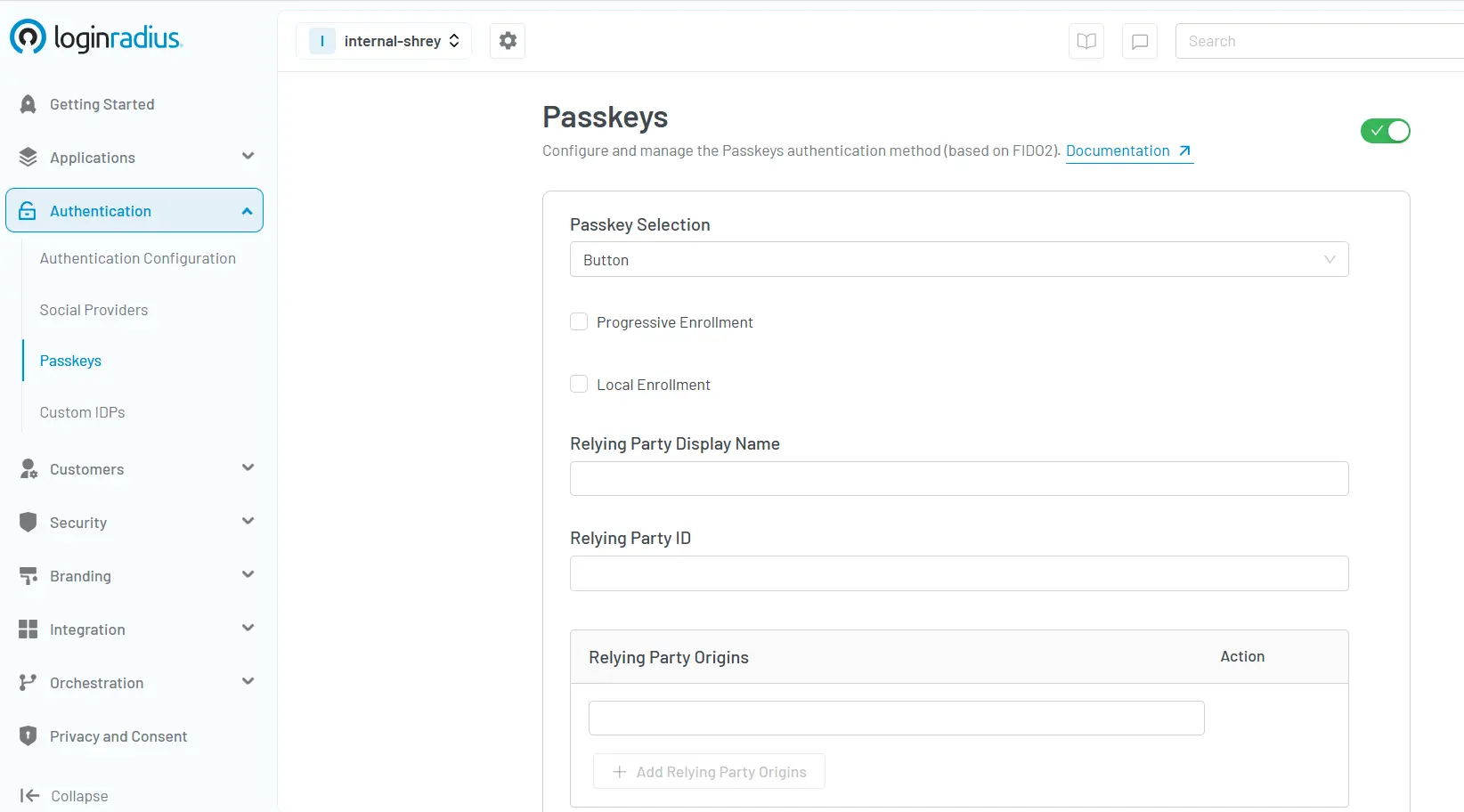
LoginRadius is an identity-as-a-service CIAM platform for mid-market and enterprise organizations. It supports passwords, OTPs, social login, federated SSO, and passkeys, along with no-code security controls.
LoginRadius provides an AI builder, hosted pages, and drag-and-drop workflow orchestration for building branded sign-up and login experiences. It runs across more than 20 data center regions and includes guided onboarding and architectural consultation.
Key features include:
- Authentication options: Supports traditional passwords, OTPs, social login, federated SSO, passkeys, passwordless login, and push notification MFA.
- No-code security: Provides bot detection, IP throttling, breached password alerts, DDoS protection, and adaptive MFA.
- Login experience builder: Includes an AI builder, hosted pages, drag-and-drop workflow orchestration, and customizable email templates.
- Multi-brand management: Manages identity apps for many brands in one platform, with isolated or combined data stores per brand.
- Consent management and customer insights: Provides consent management and customer insight capabilities.
- Federation protocols and machine-to-machine: Supports federation protocols, enterprise SSO, and machine-to-machine authentication.
- Developer tools: Offers web and mobile SDKs, RESTful APIs, CLI scripting and automation, plugins, and widgets.
- Agentic IAM: Provides Agentic IAM, Auth for MCP, AI Auth Studio, and an MCP server.
Limitations (based on publicly available sources):
- Implementation expertise: A user review on G2 reports that setup and implementation require a high level of technical knowledge.
- Ease of use ratings: Capterra users rate LoginRadius 3.4 out of 5 for ease of use and 3.5 out of 5 for customer support and value for money.
- Limited recent reviews: LoginRadius has a small number of public reviews on G2 and Capterra, and many are several years old.
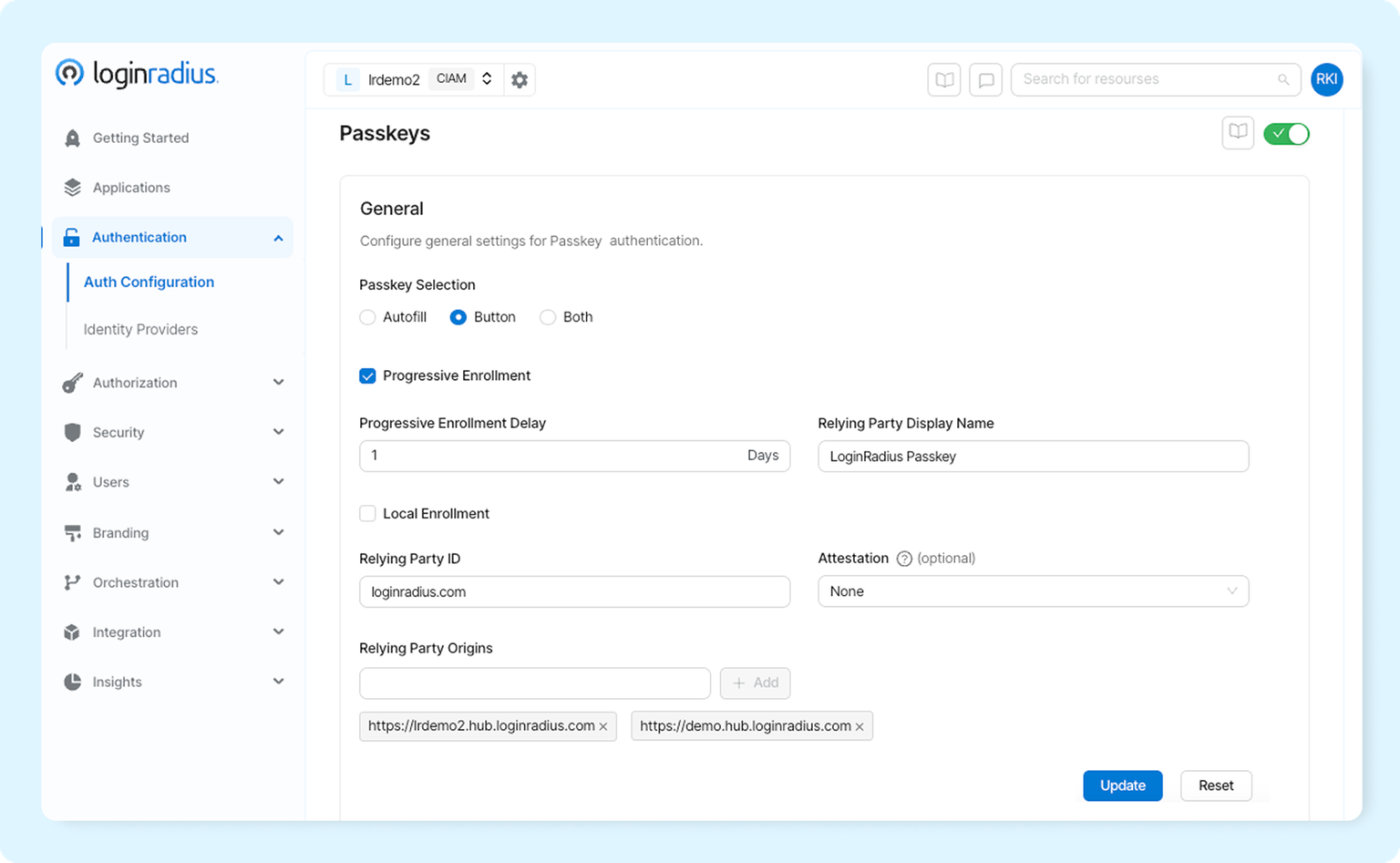
Source: LoginRadius
10. Transmit Security
Best for: Banks and large enterprises combining CIAM with fraud prevention
Strengths: Unified CIAM, fraud detection, identity verification, orchestration
Things to consider: Enterprise pricing; hard for non-technical users to configure
Transmit Security’s Mosaic platform combines identity management, fraud prevention, and identity verification in one platform. Its CIAM services are microservices-based and support both B2C and B2B use cases.
Mosaic runs active-active across multiple clouds. Organizations can use Transmit’s cloud or self-host at their own cloud provider. It includes generative AI capabilities for analytics, journey creation, fraud investigation, and platform administration.
Key features include:
- Identity orchestration: Designs customer journeys such as registration, login, and payments using drag-and-drop tools and natural language prompts.
- User management: Manages customer onboarding, lifecycle journeys, progressive profiling, consent, and self-service experiences.
- Passwordless and MFA: Supports OTP, passkeys, mobile biometrics, magic links, and social login.
- Fraud detection and response: Uses an AI-based fraud prevention engine with built-in workflows, automation, and investigations.
- Identity verification: Scans and validates government-issued IDs and confirms document ownership during onboarding.
- Journey templates: Provides templates for account opening, login, omnichannel, and payment journeys that can be customized with drag and drop.
- Deployment options: Runs in Transmit’s cloud or at the customer’s cloud provider.
Limitations (as reported by users on PeerSpot):
- Technical complexity: Users report that non-technical staff find it hard to implement and learn the platform.
- Scalability: Some users describe scaling the platform as tricky.
- Pricing: Users mention pricing as an area for improvement.
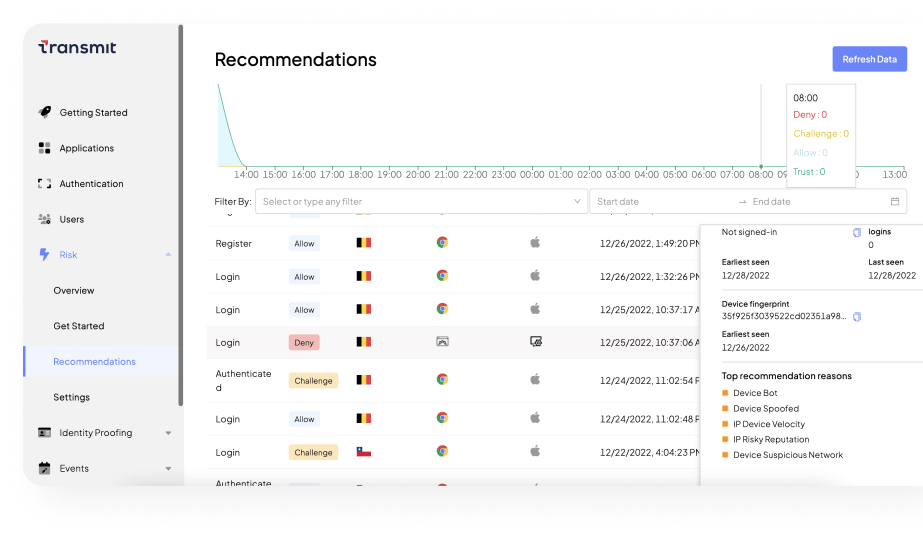
Source: Transmit Security
Cloud Provider CIAM Services
11. Microsoft Entra External ID
Best for: Organizations on Microsoft Entra securing customer and partner access
Strengths: Conditional Access, MFA, branded sign-up, B2B collaboration
Things to consider: No XML custom policies; migrating from Azure AD B2C takes work
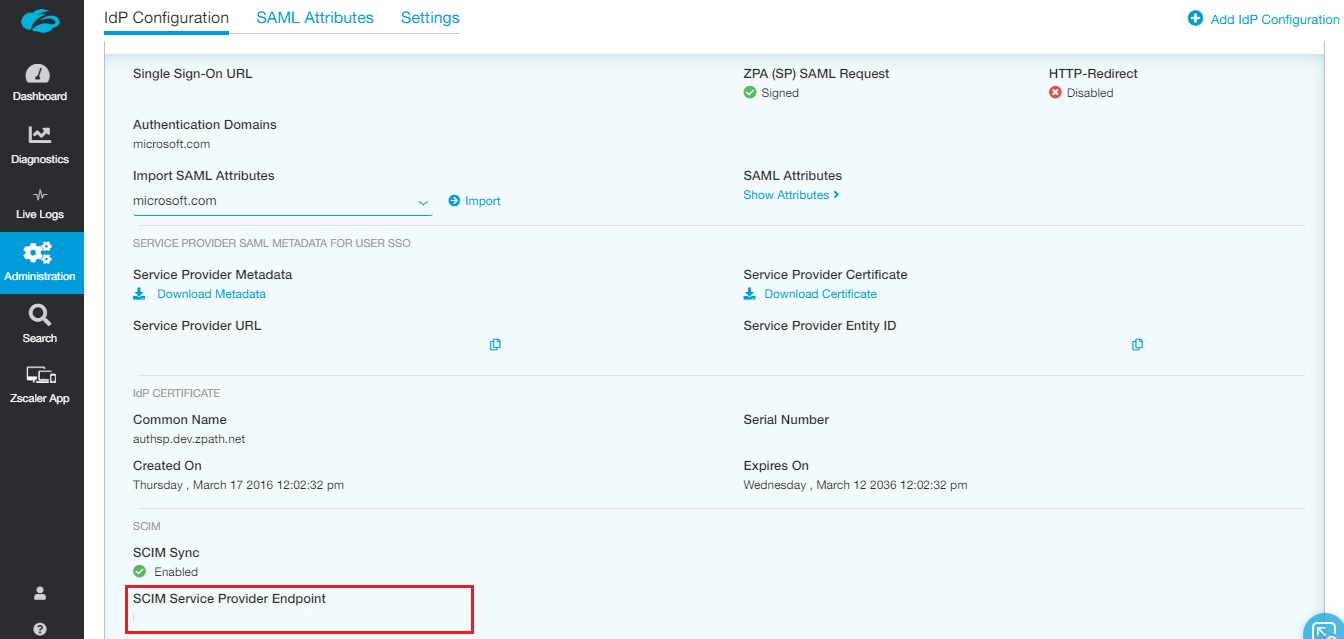
Microsoft Entra External ID is Microsoft’s CIAM solution for external identities, including customers, partners, business collaborators, guests, contractors, and citizens. It provides authentication, access policies, branded sign-up and sign-in experiences, and lifecycle governance.
External ID integrates with Microsoft 365, ID Governance, Visual Studio Code, and Azure App Service. Azure AD B2B collaboration is now part of External ID. Azure AD External Identities P1 and P2 are no longer available for new purchases as of May 1, 2025.
Key features include:
- Strong authentication: Enforces Conditional Access policies and multifactor authentication to prevent risky access.
- Customized user experiences: Customizes configurations, components, and branding for sign-up and sign-in, including native authentication for mobile apps.
- Scalable platform: Provides consistent access and authentication response times regardless of traffic demand.
- B2B collaboration: Shares apps and services with guest users from other organizations, including resources in Teams, SharePoint, and OneDrive.
- Identity governance: Manages identity and access lifecycles and reviews access rights for collaborators through ID Governance.
- Developer integration: Adds authentication to apps through Visual Studio Code and Azure App Service integrations.
Limitations (based on publicly available sources):
- No custom policies: External ID does not support the XML-based custom policies available in Azure AD B2C, so complex custom logic must be redesigned.
- Migration effort from Azure AD B2C: Moving from Azure AD B2C requires reworking policies, and passwords cannot be bulk-exported from B2C.
- Feature gaps: Some B2C capabilities, such as age gating, have no direct External ID equivalent and require a custom solution.
Source: Microsoft
12. Amazon Cognito

Best for: AWS-based teams adding sign-in for users, AI agents, and services
Strengths: Passkeys, social/SAML/OIDC federation, multi-tenancy, M2M tokens
Things to consider: Threat protection requires the Plus tier; tightly tied to AWS
Amazon Cognito is a managed AWS service for sign-in and access control for users, AI agents, and microservices. It provides tenant-based identity stores, federation options, and a managed user directory.
Cognito supports social identity providers and passwordless login with WebAuthn passkeys or SMS and email one-time passwords. It integrates with Amazon Bedrock AgentCore Identity to give agents access to AWS and third-party resources. Feature availability depends on the Lite, Essentials, or Plus feature plan.
Key features include:
- User directory and passwordless login: Provides a managed user directory with passkeys and SMS and email one-time passwords.
- Identity federation: Supports social sign-in and SAML and OIDC identity provider integrations.
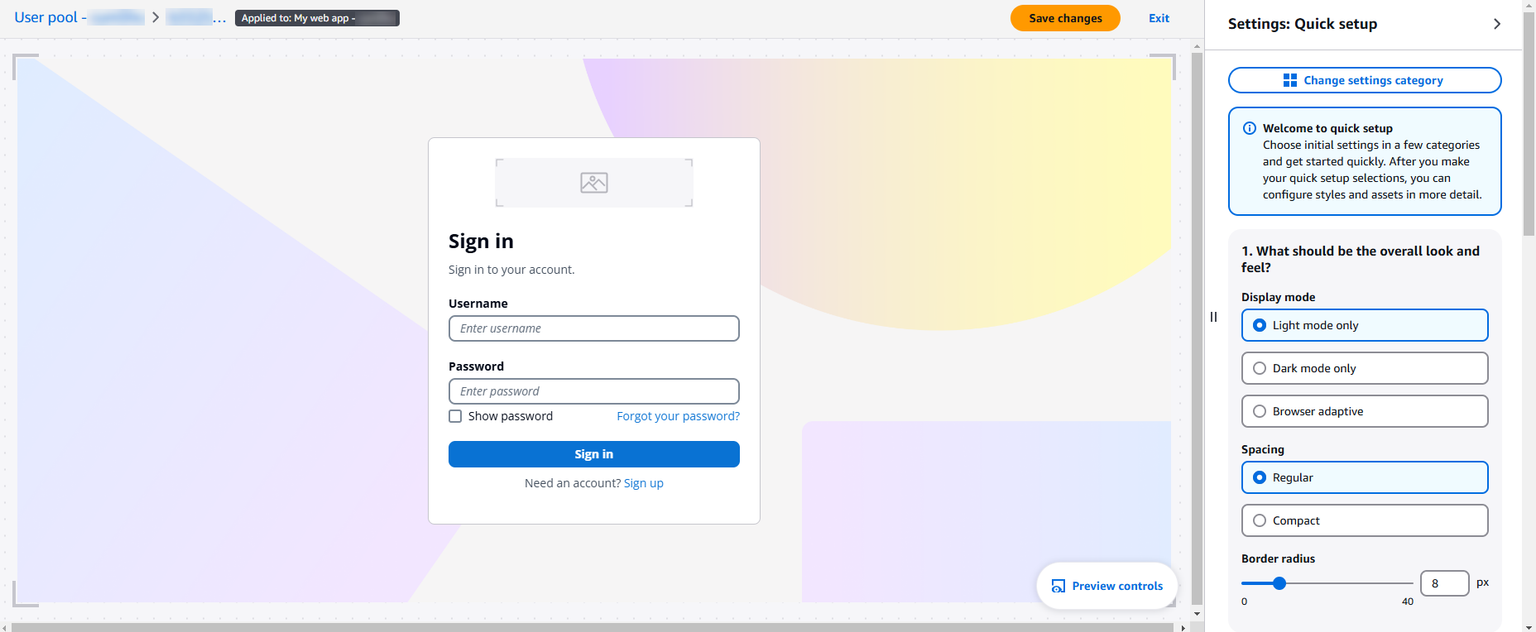
- Branded sign-in experiences: Configures custom sign-up and sign-in pages with a visual UI editor, without custom code.
- Threat protection: Provides risk-based adaptive authentication, compromised credential detection, IP geo-velocity tracking, and security metrics on the Plus feature plan.
- B2B multi-tenancy: Offers multi-tenancy options with different levels of policy and tenant isolation.
- Machine-to-machine authorization: Issues short-lived, scoped tokens through the OAuth 2.0 client credentials flow instead of static API keys.
- Framework support: Works with AWS Amplify, React, Next.js, Angular, Vue, Flutter, Java, .NET, Python, Go, iOS, and Android, among others.
- Multi-region replication: Supports multi-region replication for highly available applications.
Limitations (as reported by users on PeerSpot):
- Localization: Users report that international localization requires building custom screens.
- MFA configuration: Some users find the multi-factor authentication setup could be improved.
- Onboarding UI: Users mention that the UI for onboarding new users needs improvement.
- Learning curve: Users report a learning curve for new users and room for improvement in documentation.
Source: Amazon
13. Firebase Authentication

Best for: Mobile and web apps already built on Firebase
Strengths: Multi-platform SDKs, FirebaseUI, social and phone sign-in
Things to consider: SAML, OIDC, and MFA require the Identity Platform upgrade
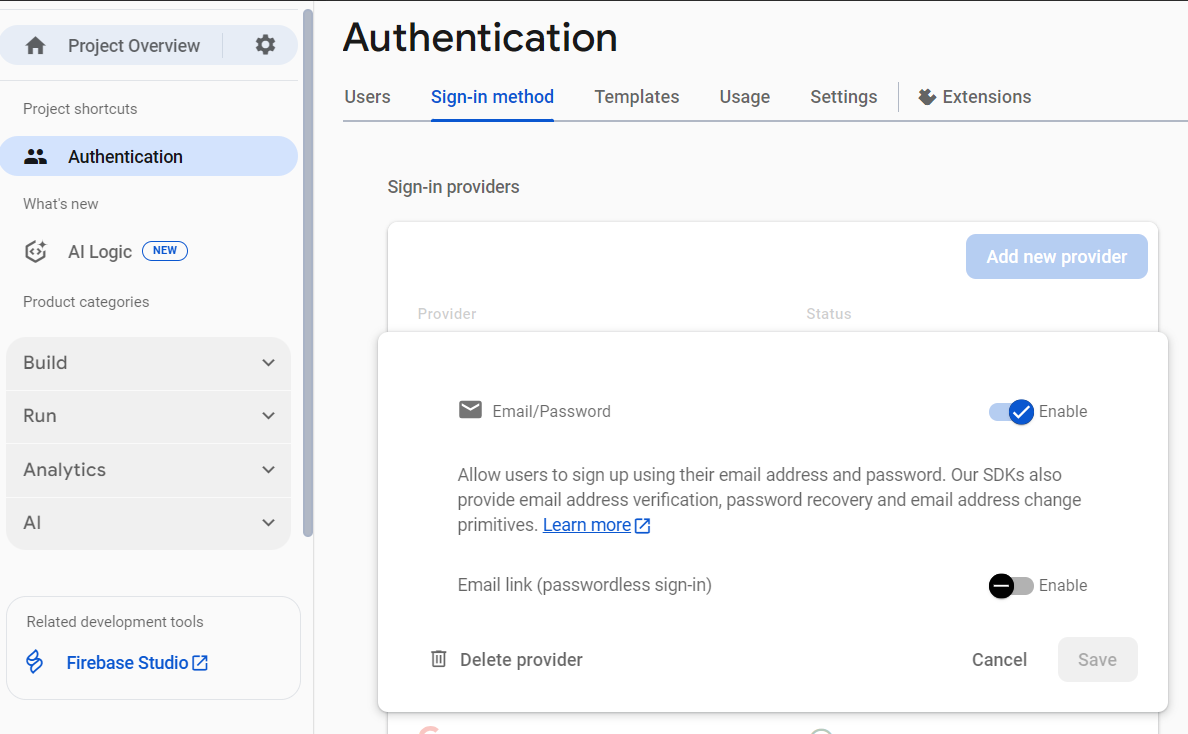
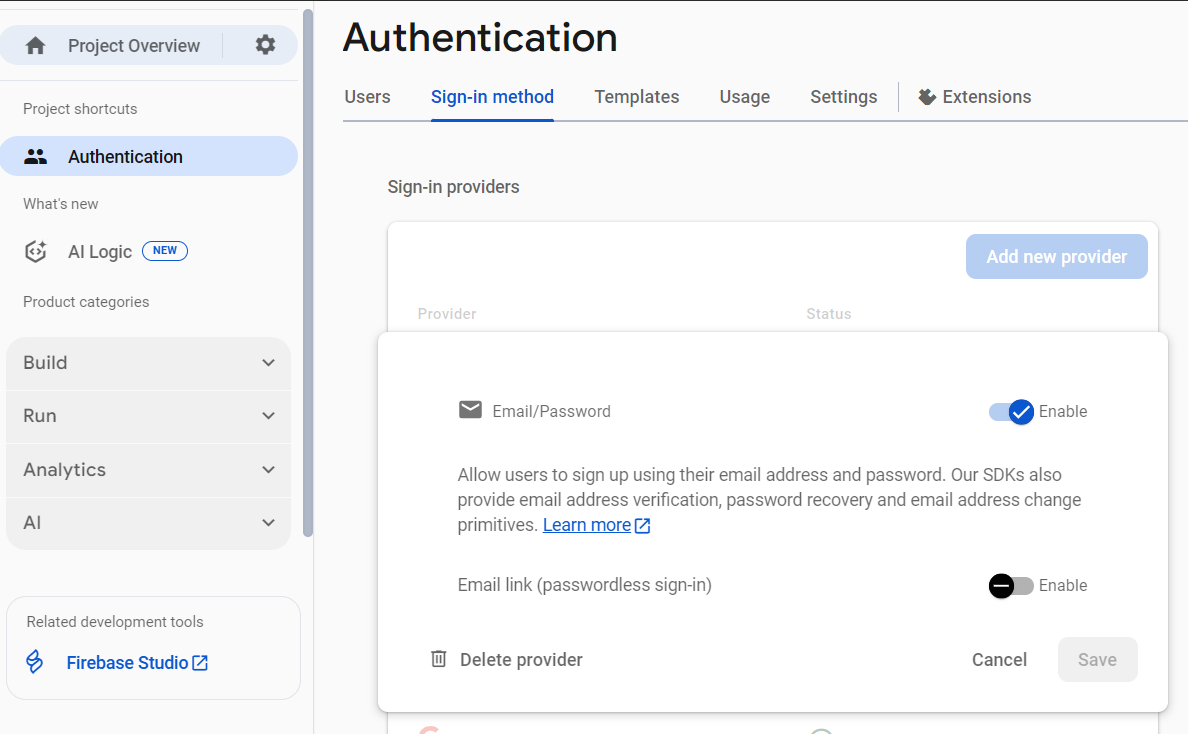
Firebase Authentication provides backend services, SDKs, and ready-made UI libraries for authenticating users in apps. It supports email and password accounts, phone authentication, and sign-in with Google, Apple, X, Facebook, GitHub, and other providers.
Firebase Authentication runs on iOS, Android, web, C++, and Unity. It was built by the team behind Google Sign-in and applies Google’s experience managing large account databases.
Key features include:
- Sign-in methods: Supports email and password, phone authentication, and federated login with Google, Apple, X, Facebook, GitHub, and more.
- Multi-platform SDKs: Provides SDKs for iOS, Android, web, C++, and Unity.
- FirebaseUI: An open-source, customizable, drop-in UI that handles sign-in flows on mobile and web.
- Backend services: Handles the authentication backend, including complex cases such as account merging.
- Google security expertise: Applies the security experience of the team behind Google Sign-in, Smart Lock, and Chrome Password Manager.
Limitations (based on publicly available sources):
- Enterprise features require an upgrade: SAML and OIDC providers, multi-factor authentication, and multi-tenancy are available through the optional Firebase Authentication with Identity Platform upgrade.
- Different pricing and limits after upgrade: The Identity Platform upgrade has a different pricing scheme and introduces new usage limits.
- Custom logic: Extending authentication behavior requires blocking functions, which adds development work.
Source: Firebase
How to Choose a CIAM Solution
Choosing a customer identity and access management (CIAM) solution requires balancing security, user experience, integration flexibility, and long-term scalability. Organizations should evaluate how well a platform supports their customer authentication requirements while giving developers the flexibility to build and maintain identity experiences across applications.
Evaluate Support for Modern Authentication and Passwordless Login
A CIAM solution should support multiple authentication methods to accommodate different customer preferences, devices, and security requirements. Look for passkeys, WebAuthn, passwordless authentication, multi-factor authentication (MFA), and social login. Supporting these methods allows organizations to reduce reliance on passwords while maintaining convenient access for different user groups.
Evaluate how easily the platform can introduce new authentication methods, configure step-up authentication, and manage account recovery. Passkeys offer phishing-resistant authentication, but customers may still need alternative sign-in and recovery options. The solution should allow businesses to configure authentication policies without rebuilding their application authentication infrastructure whenever requirements change.
Look for Flexible, Customizable Registration and Login Experiences
Customer authentication is part of the application experience, so rigid login and registration workflows can create friction and limit product differentiation. Choose a CIAM solution that supports customizable authentication interfaces, registration flows, identity schemas, and account management experiences. Developers should be able to adapt authentication to the application's design and user requirements.
Evaluate support for progressive profiling, email verification, account recovery, and configurable registration steps. The platform should also accommodate different authentication journeys for consumer applications and B2B services, including social sign-in and enterprise single sign-on. API-driven customization and integration hooks are particularly valuable when applications require specialized business logic during registration or authentication.
Prioritize Open Standards and Developer-Friendly Integration
CIAM platforms must integrate with applications, APIs, mobile environments, and external identity providers. Proprietary authentication mechanisms can increase implementation complexity and make future migrations difficult. Prioritize solutions built around widely adopted standards such as OAuth 2.0, OpenID Connect (OIDC), WebAuthn, and SAML, where relevant.
Review the platform's APIs, SDKs, documentation, and supported application frameworks. Developers should be able to integrate authentication and session management into existing applications without implementing sensitive security functionality from scratch. Standards-based integrations also make it easier to support third-party identity providers, enterprise SSO, and secure API access.
Consider deployment flexibility and long-term architectural requirements. A solution with open-source components or flexible hosting options may offer organizations greater control over infrastructure, customization, and future technology decisions.
Assess Fine-Grained Authorization and Permission Management
Authentication establishes a user's identity, but applications must also determine which resources and actions that user can access. Basic role-based access controls may be sufficient for simple applications, but B2B SaaS platforms and collaborative services often require more granular permissions across organizations, projects, and individual resources.
Choose a CIAM solution that can integrate with dedicated authorization services supporting fine-grained access controls, including relationship-based access control (ReBAC). For example, an application may need to distinguish between users who own a document, users who can edit it, and users who have access through their membership in a particular organization.
Evaluate how authorization policies are defined, updated, and enforced across applications and APIs. Separating authentication from authorization can help teams manage complex permissions independently of login functionality. Look for centralized permission checks, consistent policy enforcement, and APIs that support authorization decisions without introducing excessive latency.
Verify Scalability, Reliability, and Security Controls
Authentication is a critical dependency for customer-facing applications. Performance degradation or downtime in the identity platform can prevent users from accessing services, even when the underlying applications remain operational. Organizations should evaluate whether a CIAM solution can support their expected user population, concurrent logins, authentication traffic, and geographic distribution.
Review the provider's architecture, availability commitments, performance characteristics, and operational monitoring capabilities. Consider how the platform handles traffic spikes, authentication failures, and growth across multiple applications. Security capabilities should include session management, credential protection, audit logging, and mechanisms for detecting or limiting suspicious authentication activity.
Evaluate the solution against relevant security and compliance requirements, including data protection, encryption, identity lifecycle management, and administrative access controls. The platform should provide sufficient operational visibility for security investigations and ongoing identity governance.
Evaluate Migration Capabilities and Long-Term Portability
Replacing an existing identity platform can be disruptive if customers must create new accounts, reset passwords, or repeat registration procedures. Choose a CIAM solution that supports secure identity import, credential migration, and flexible account transition workflows to reduce friction during implementation.
Assess whether the platform can import existing user profiles, identifiers, password hashes, and authentication metadata. Where direct credential migration is unavailable, look for just-in-time migration mechanisms that validate existing credentials and transition accounts during subsequent logins. Evaluate how the platform handles account recovery, existing federated identities, and the preservation of unique user identifiers.
Consider long-term portability as well as initial migration. Open standards, documented APIs, and accessible identity data can reduce dependence on proprietary integrations. Organizations should also assess the provider's deployment options, pricing structure, support model, and ability to accommodate future changes in authentication requirements.
Conclusion
Choosing the right customer identity strategy is essential for delivering secure, seamless digital experiences while maintaining user trust and compliance. Organizations must balance ease of deployment, scalability, and flexibility to meet evolving security and business needs. By prioritizing modern authentication and privacy-first practices, businesses can protect customer accounts without sacrificing user experience. A well-planned implementation ensures long-term security, adaptability, and sustainable growth.